

Unlock the Business Value of Application Data
NextForm frees your data, programs, and databases from legacy formats and vendor lock-ins. More data versatility means more usability.
Learn More
Repurpose Your Data
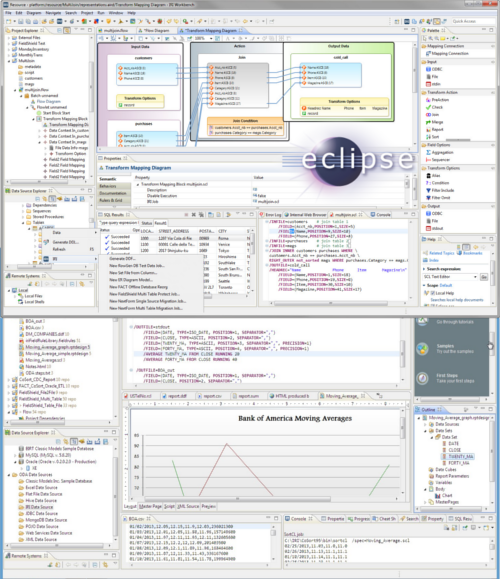
NextForm modernizes file formats so they can be used in new applications. It also replicates DB data, remaps data types and record layouts, and creates federated views to speed insights.
Learn MoreHigh Performance, Not Cost
NextForm also gives you the opportunity to cull data as you move it, optimizing I/O and reducing storage. Slash 75% off design and run time with point-and-click field mapping that help you control your data with ease.
Learn More
NextForm Use Cases
Fast, Easy File Conversion

"NextForm simply and quickly converts our big LDIF files to custom CSV targets. A 165mb LDIF file converted in seconds, 1+GB in less than a minute. Excellent product!"
Legacy Data Type Translation

"NextForm converts EBCDIC data files (including zoned and PD fields) to ASCII. As a beginner I was able to make new jobs quickly and determine the output was correct."
COBOL to DB Migration

"NextForm is a fast, cost-effective Vision (and MF-ISAM) file migration and reporting solution. We also like the product\'s graphical job design and scripting options."
NextForm Editions
Supported Sources and Formats
Flat Files
- CSV
- Delimited
- Fixed
- LDIF
- Micro Focus Variable Length
- Micro Focus ISAM
- Line/Rec/Var Sequential
- Variable Blocked
- Text
- Vision
- XML
Data Types
- ASCII (c types)
- Numerics
- EBCDIC MF COBOL
- EBCDIC RM COBOL
- Dates & Time Stamps
- Composite
- Single-Byte
- Multi-Byte (CJK, Thai)
- Unicode
- Packed Decimal
- Zoned Decimal
Legacy
- Adabas
- C-ISAM Informix, D-ISAM
- Datacom
- Dataflex
- dBase
- IDMS
- IMS
- Intersystems
- PostgreSQL
- Powerhouse
- Unidata
RDBMS
- Oracle
- DB2 UDB
- DB2 Mainframe
- MySQL
- SQL Server
- Sybase
- Teradata
Unstructured Files
- ASN.1 TAP3
- .DOC, .DOCX
- .EML, .OST, .PST
- .PDF, .RTF
- .PPT, .PPTX
- .TXT, .XML
- .XLS, .XLSX
Modern
- Amazon EMR, RDS, etc.
- Cloudera CDH & Impala
- Hortonworks Hive
- NoSQL (Cassandra, MongoDB)
- Pivotal (Greenplum, Hive)
- Spark SQL
- Web-based (Eloqua, Hubspot, Marketo, Salesforce, etc.)
AND, the proprietary/mainframe (legacy) and cloud/SaaS (modern) sources in the 2nd and 3rd sections of this page!
Learn More About NextForm


What Others Are Reading
Examining the LDIF File Format
LDIF is a standard text format for LDAP data in address books, spreadsheets and other structured data sets.
Read NowIncremental Data Replication
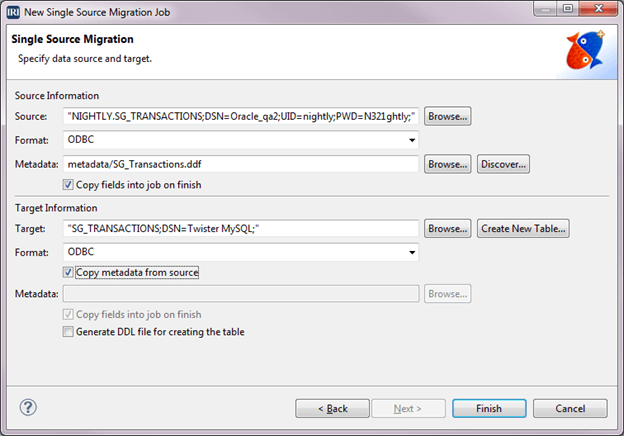
Use the values in your source columns to automatically move data into new target tables or files.
Read NowFilter Data to Reduce I/O

One of the best ways to speed up big data operations is to select only the data that you will need in each target.
Read Now