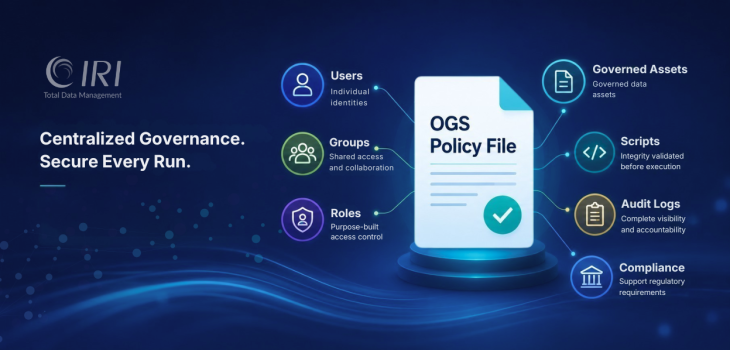
What Is the IRI OGS Policy File?
Quick summary
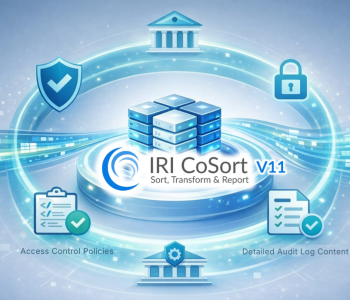
The IRI OGS Policy File is the central authority for runtime governance in CoSort V11 and other SortCL-compatible IRI products. It controls access permissions, audit logging, script integrity requirements, and policy enforcement for data processing jobs. By combining RBAC, encryption, and governance controls in a single encrypted repository, the Policy File helps organizations secure operations and support compliance.
Introduction
Organizations invest heavily in securing data at rest and in transit, yet runtime operations often remain exposed. ETL workflows, data masking jobs, analytics processes, and test data generation routines frequently access sensitive information without centralized governance controls.
The IRI OGS Policy File helps address that challenge. As the policy authority within the IRI Operational Governance System (OGS), it governs access permissions, audit behavior, script integrity requirements, and other operational controls that protect SortCL-compatible jobs in production.
Introduced with CoSort Version 11, the IRI OGS Policy File serves as the central governance authority for SortCL-compatible jobs across the IRI data management platform.
The Runtime Governance Challenge
Many organizations manage sensitive data across multiple applications, environments, and business units. Security teams may define access policies, but enforcing those policies consistently across operational data jobs can prove difficult.
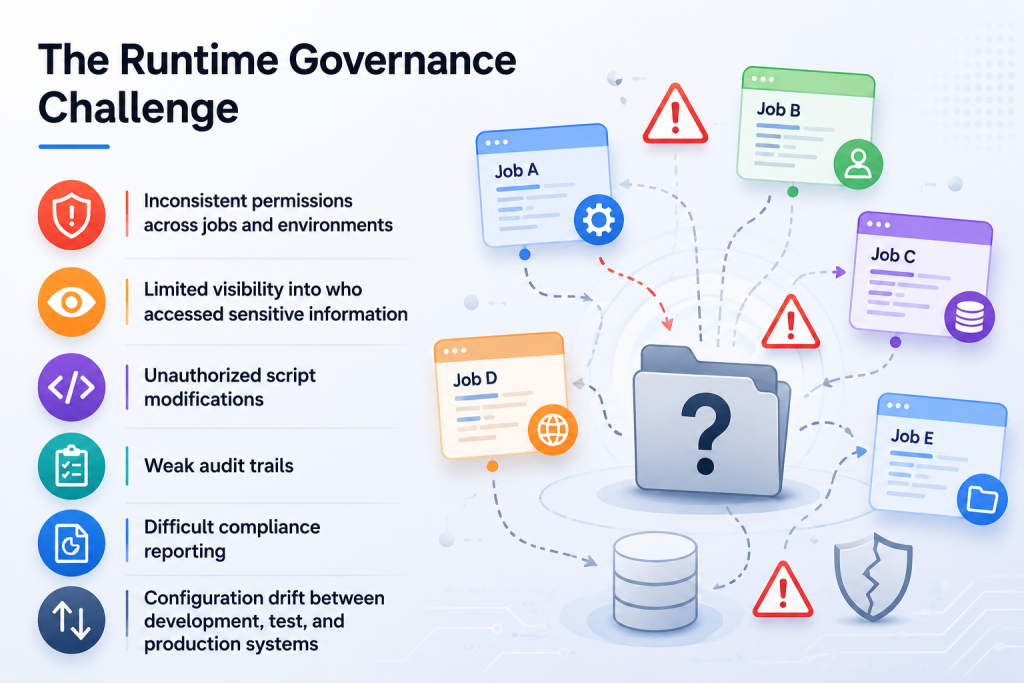
Without centralized governance, organizations often face several challenges. For example:
- Inconsistent permissions across jobs and environments
- Limited visibility into who accessed sensitive information
- Unauthorized script modifications
- Weak audit trails
- Difficult compliance reporting
- Configuration drift between development, test, and production systems
These challenges become even more significant when processing regulated data such as personally identifiable information (PII), protected health information (PHI), controlled unclassified information (CUI), financial records, or other sensitive business data.
Traditional application security controls do not always govern what happens during data processing. A user who can execute a job may gain access to data elements that should remain restricted. A modified script may run without validation. Critical audit information may never be captured.
Therefore, organizations need governance controls that operate directly within the data processing layer.
How the IRI OGS Policy File Enables Runtime Governance
The IRI OGS Policy File serves as the governance backbone of OGS, providing centralized role-based access control (RBAC), audit logging, script integrity enforcement, and other runtime governance controls for SortCL-compatible jobs. The OGS documentation describes it as:
“The policy definitions and permission controls… an application-independent RBAC and logging control center.”
The Policy File stores governance rules in an encrypted JSON format that administrators can create, view, and modify only through the Policy File Manager (PFM). It governs four primary categories:
| Category | Description |
| Users | Individual login identities |
| Groups | Collections of users who share common responsibilities |
| Roles | Purpose-built collections of users and groups that simplify permission management |
| Forms | Files, fields, tables, URLs, functions, conditions, scripts, sets, and other governed assets |
In addition, the Policy File controls:
- Error verbosity
- Ungoverned behavior settings
- Audit log content
- Audit log retention
- Script signature requirements
- Metadata descriptions
By centralizing governance controls in one encrypted location, organizations create a single source of truth for operational security policies.
Key Benefits
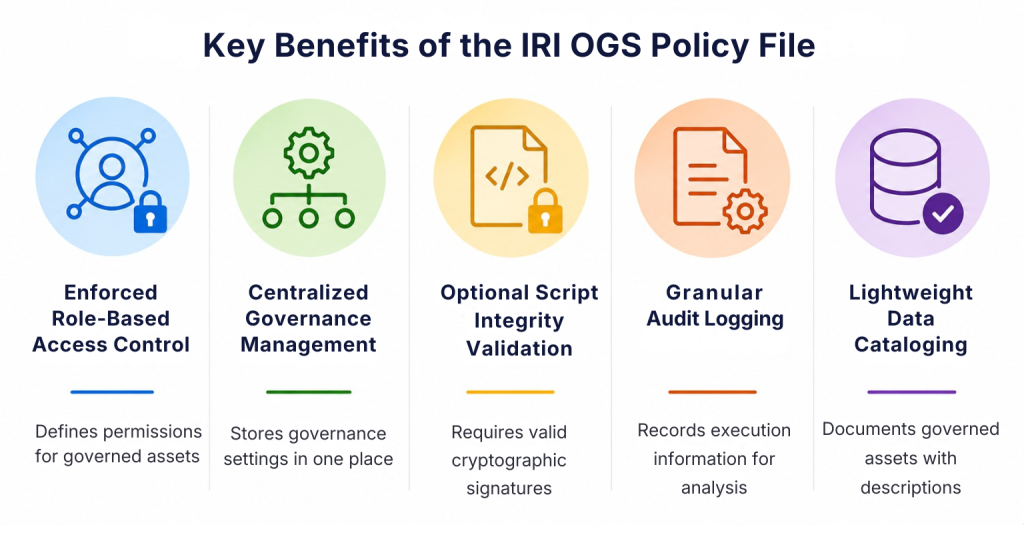
1. Enforced Role-Based Access Control
The primary purpose of the Policy File is to define permissions for governed assets.
Administrators can assign read, write, or execution permissions to users, groups, and roles. These permissions apply directly to files, fields, scripts, functions, and other runtime objects.
This approach helps organizations implement least-privilege security while reducing the risk of unauthorized access.
2. Centralized Governance Management
The Policy File stores governance settings in a single encrypted repository. Security teams can manage permissions, audit requirements, and retention policies without maintaining separate configurations across multiple jobs.
3. Optional Script Integrity Validation
Organizations can require SortCL scripts to contain valid cryptographic signatures before execution.
When signature validation is enabled, OGS verifies script integrity before processing begins. Modified or unsigned scripts can be prevented from running.
This capability helps reduce the risk of unauthorized job modifications.
4. Granular Audit Logging
The Policy File also determines what information SortCL records during execution.
These audit records support:
- Compliance validation
- Security investigations
- Data lineage analysis
- Operational troubleshooting
- Performance monitoring
Even unsuccessful job executions can generate audit records, helping organizations maintain complete operational visibility.
5. Lightweight Data Cataloging
Optional descriptions allow administrators to document governed assets.
Organizations can record business context for:
- Files
- Fields
- Functions
- Classes
- Users
- Groups
- Roles
This capability creates a lightweight metadata repository that supports governance and data discovery initiatives.
How the Policy File Works During Runtime
When a SortCL job executes, OGS performs a series of governance checks before allowing the process to continue.
The sequence typically includes:
- Reading the job script and metadata
- Loading and decrypting the Policy File
- Loading matching sub-policy file (if any)
- Validating script signatures (if required)
- Comparing the logged-in user against RBAC rules
- Allowing or denying execution
- Writing a JSON audit log
The OGS documentation summarizes this process as follows:
“SortCL compares the logged-in user against Policy file RBACs… then gives a go/no-go signal to run the script.”
This workflow ensures that governance decisions occur before sensitive data processing begins.
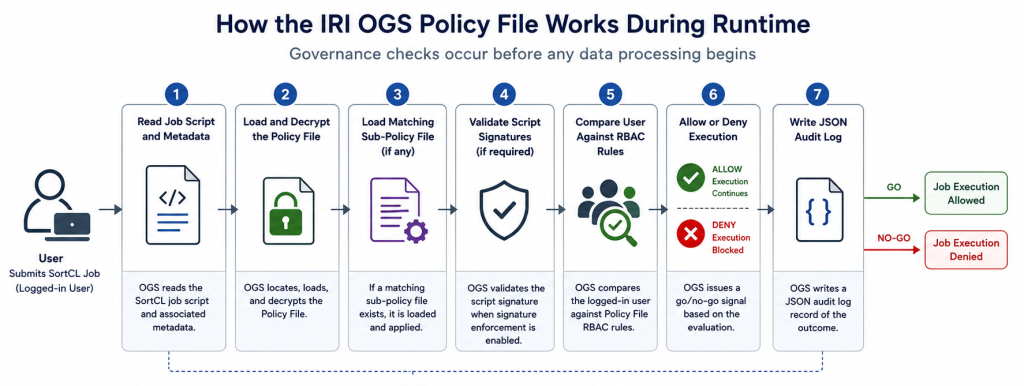
IRI OGS Policy File runtime governance workflow showing SortCL job execution, policy file decryption, sub-policy loading, script signature validation, RBAC authorization checks, allow-or-deny decisions, and JSON audit log generation.
Practical Example: Policy File Syntax
The Policy File uses a JSON structure to define governance rules.
The example below demonstrates how administrators can restrict access to both files and fields:
"FORMS": {
  "FILES": {
    "INSTANCES": [
      {
        "NAME": "TRANSACTIONS.dat",
        "READERS": ["Legal", "IT"],
        "WRITERS": ["Legal", "IT"],
        "Comment": "This data file contains medical information."
      }
    ]
  },
  "FIELDS": {
    "INSTANCES": [
      {
        "NAME": "SSN",
        "READERS": ["SSN_READER"],
        "WRITERS": ["SSN_READER"],
        "Comment": "Sensitive identifier; access restricted."
      }
    ]
  }
}
In this example, only the Legal and IT groups can read or modify the file TRANSACTIONS.dat, while only the SSN_READER role can access the SSN field.
Even within a shared processing environment, governance controls remain highly granular and can help enforce strict need-to-know access policies.
Managing Exceptions with Sub-Policy Files
Sub-policy files allow administrators to override global permissions for a specific SortCL job without modifying the primary governance policy.
Sub-policy files follow the naming convention:
<jobname>.scl.ctl
According to the OGS documentation:
“A sub-policy file overrides all items in the FORMS section of the main Policy file.”
This capability helps organizations manage job-specific exceptions while keeping the global Policy File clean and maintainable.
Example Use Case
Suppose the global Policy File restricts access to the field rank to members of the Executive role. However, a specific job named bonus.scl requires an additional user, susang, to access that field.
Rather than changing the global policy, administrators can create a sub-policy file for the job and add:
"READERS": ["Executive", "susang"]
"WRITERS": ["Executive", "susang"]
The override applies only to that job while preserving enterprise-wide governance rules for all other processes.
This approach helps organizations:
- Avoid configuration creep in the primary Policy File
- Support job-specific business requirements
- Maintain centralized governance standards
- Simplify long-term policy management
Creating and Managing Policy Files with the PFM Utility
Because the Policy File remains encrypted, administrators (governors) cannot edit it directly. Instead, they use the Policy File Manager (PFM), which the documentation describes as:
“a command-line, menu-driven program for creating, modifying, and viewing SortCL operational governance rules.”
PFM provides a controlled environment for managing IRI operational governance policies while reducing the risk of syntax errors or invalid configurations. Administrators can use PFM to:
- Create Policy Files
- Create sub-policy files
- Modify governance settings
- View decrypted contents
- Query users, groups, roles, and forms
- Review permissions
One particularly valuable feature is administrative change tracking.
PFM automatically records policy modifications in the policy_changes.txt audit file. This log provides a documented history of governance changes, helping organizations demonstrate accountability during audits and compliance reviews.
For regulated environments, tracking governance changes can be just as important as auditing runtime job activity.
Frequently Asked Questions (FAQ)
What is the IRI OGS Policy File?
The IRI OGS Policy File is an encrypted governance repository that controls permissions, audit settings, script integrity requirements, retention policies, and other runtime governance controls for SortCL-compatible jobs.
How does the Policy File enforce RBAC?
The Policy File maps users, groups, and roles to governed assets such as files, fields, scripts, functions, and URLs. Before a SortCL job executes, OGS evaluates those permissions and either allows or denies access based on the defined governance rules.
Why is the IRI OGS Policy File encrypted?
Encryption protects governance rules from unauthorized viewing or modification. Administrators must use the Policy File Manager (PFM) to create, view, and modify Policy Files.
The IRI OGS Policy File provides the foundation for secure, auditable, and consistent runtime governance across SortCL-compatible jobs. In the next article, we will examine the Policy File Manager in greater detail and demonstrate how governors create, maintain, and audit governance policies throughout the OGS lifecycle.