Analyzing DarkShield PII Results in Splunk
When analyzing security data, whether network traffic, personally identifiable information (PII) discovery logs, or real-time data from a firewall or router, Splunk Enterprise provides security engineers with several ways to examine and interpret the results.
Using Splunk’s Search Processing Language (SPL), users can parse data, configure real-time monitoring for specific events (such as status codes), and visualize results through bar charts, time charts, and pie charts. These capabilities make Splunk useful for identifying patterns and gaining insights from security-related data.
One important source of security information is the location data generated during sensitive data searches. IRI DarkShield is a data discovery and masking tool that identifies and conceals or removes sensitive information, including PII, PHI, CUI, and NPI.
DarkShield organizes sensitive information into defined data classes, such as Social Security numbers (SSNs), email addresses, physical addresses, and phone numbers. These classes are paired with search methods (matchers) and masking rules to support consistent discovery and protection across structured, semi-structured, and unstructured data sources, including databases, EDI files, documents, and images.
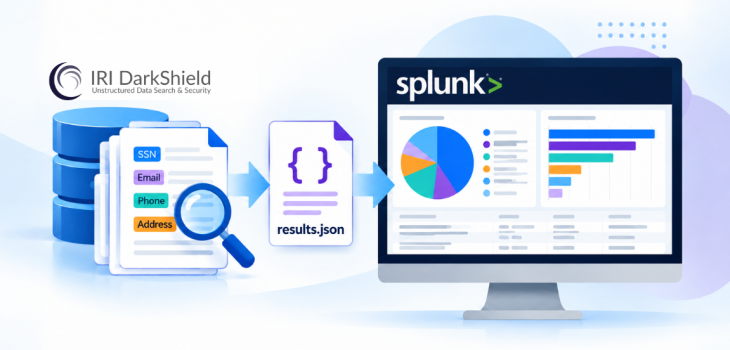
Importing DarkShield search logs into Splunk, a Security Information and Event Management (SIEM) tool, allows users to analyze and visualize the occurrences of PII discovered in various data sources.
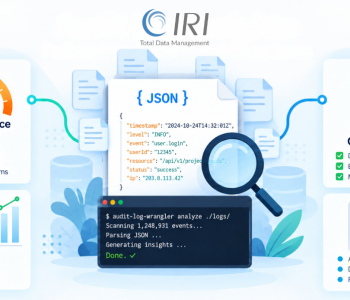
DarkShield saves these results in delimited formats, such as Pipe Separated Value (PSV) files, or in JavaScript Object Notation (JSON) format. This article focuses on analyzing DarkShield JSON logs in Splunk.
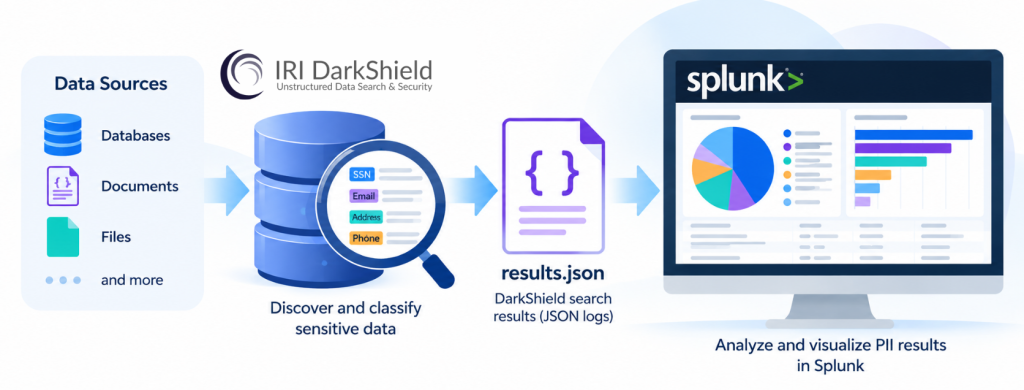
Understanding DarkShield JSON Logs
DarkShield search and masking jobs produce three different JSON logs:
-
annotations.jsoncontains the locations of sensitive data discovered during a search. -
results.jsonalso records masking functions and their associated ciphertext values. -
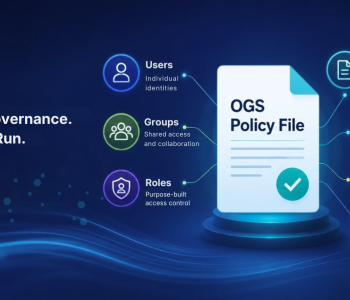
audit.jsonprovides general runtime and statistical information. These logs are compatible with the IRI CoSort v11 Operational Governance System (OGS) logs produced by SortCL-compatible structured data processing jobs, such as those performed by FieldShield.
Each log provides different information about DarkShield operations. The location and masking details in annotations.json and results.json can be examined separately from the operational information recorded in audit.json.
In this article, I use the second log type, results.json, to demonstrate what Splunk can reveal when analyzing a large collection of DarkShield runtime logs.
A separate article will examine Splunk insights obtained from OGS audit logs.
Importing DarkShield JSON Logs into Splunk
To begin, upload your DarkShield logs into Splunk for ingestion.
Navigate to Settings > Add Data. Splunk will display a page where you can upload the files you want to analyze.
For this example, I combined various logs and audit files into a single ZIP file before uploading them.
When configuring the data import, set the source type to _json so Splunk processes the JSON files appropriately.
It is also helpful to verify that the JSON files are formatted clearly before ingestion. If necessary, you can reformat unformatted JSON logs using a free tool such as Notepad++. Once Splunk processes the uploaded files, it displays the log entries as events.
Searching DarkShield Logs in Splunk
Basic searching in Splunk is straightforward. Enter a keyword into the search bar, and Splunk parses the indexed logs to return matching events.
For example, entering SSN returns log entries containing the string SSN.
Although keyword searches help locate specific information, statistical analysis requires extracting values from the appropriate JSON objects and arrays.
Extracting Data Classes with SPL
To retrieve data class information from DarkShield logs, use the following Splunk Search Processing Language (SPL) commands:
-
spathspecifies the path to the JSON array or field containing the information you want to extract. -
mvexpandexpands multivalue data so individual values can be examined. -
statsproduces statistical results using the extracted values.
You can execute these commands individually or combine them into a single SPL search using pipes. The following example extracts the data class values from the DarkShield logs:
source="formatted_InternFolder.zip:*" host="DESKTOP-PQPS0A0"
sourcetype="_json" | spath
path="tables{}.columns{}.maskResults{}.dataclass"
output=dataclass | mvexpand dataclass | stats value(dataclass)
This search accesses the dataclass values within the nested tables, columns, and maskResults arrays in the JSON log.
In this example, the results reveal the following data classes:
EmailFirst_NameFull_NameLast_NamePhone_NumberSSNstatesstreetnames
These values represent the different data classes recorded in the DarkShield logs.
Finding the Most Frequently Occurring Data Classes
You can also narrow the analysis to the ten most frequently occurring data classes.
The original article uses the following SPL search:
source="formatted_InternFolder.zip:*" host="DESKTOP-PQPS0A0"
sourcetype="_json" source="*"     | spath
path="tables{}.columns{}.maskResults{}.dataclass" | mvexpand
"tables{}.columns{}.maskResults{}.dataclass"| top limit=10
"tables{}.columns{}.maskResults{}.dataclass
The results organize the extracted data classes by their frequency of occurrence.
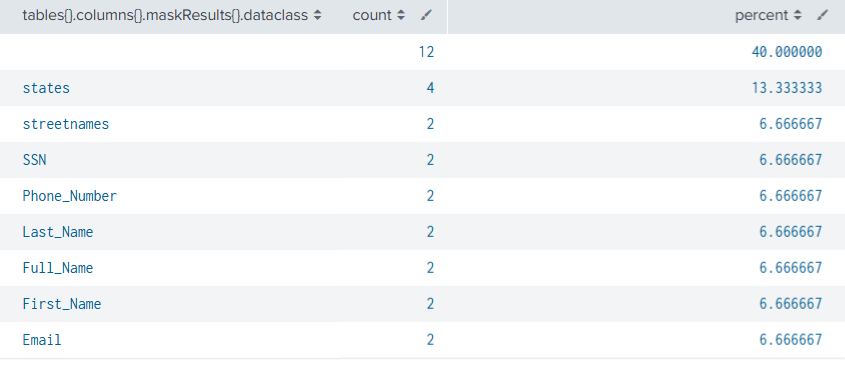
In the example, the states data class appears most frequently, followed by streetnames and SSN. These results help show how often specific data classes occur in the analyzed DarkShield logs.
Visualizing DarkShield Results in Splunk
In addition to displaying search results as a table, Splunk allows users to create graphical representations of the extracted information. To visualize the results, select the Visualizations tab next to the statistical results.
Splunk offers several chart types, including pie charts, bar charts, and other visual formats.
For this example, I used a pie chart and a bar chart to illustrate the distribution and frequency of data classes identified in the DarkShield logs.
Pie Chart: Distribution of Data Classes
The pie chart shows how the different data classes contribute to the overall results.
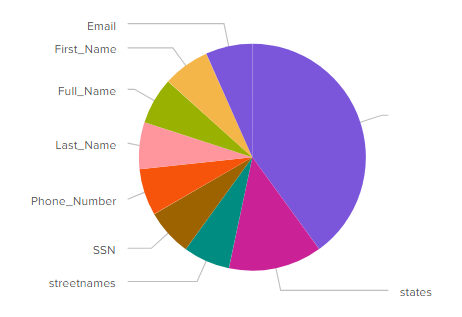
The chart includes Email, First_Name, Full_Name, Last_Name, Phone_Number, SSN, streetnames, and states.
In the original visualization, the states category represents the largest portion of the results. The remaining categories account for smaller shares.
This format makes it easier to compare the relative distribution of different data classes.
Bar Chart: Frequency of Data Classes
The bar chart presents the same data classes as horizontal bars, making it easier to compare their individual counts.

states category has the longest bar. The other categories, including streetnames and SSN, have lower counts.By displaying the results graphically, Splunk provides another way to examine patterns in sensitive data discovery logs.
Extending Splunk Analysis to IRI OGS Audit Logs
These visualizations demonstrate how DarkShield results.json logs can support retrospective analysis of sensitive data discovery and masking results. However, results.json is not the only type of DarkShield log that can be analyzed in Splunk.
In my next article, I will provide a step-by-step guide to analyzing DarkShield-compatible IRI Operational Governance System (OGS) logs using Splunk.
Frequently Asked Questions
What information does DarkShield store in results.json?
DarkShield’s results.json logs contain sensitive data search results, including masking functions and ciphertext values. The logs also provide data class information that can be extracted and analyzed in Splunk.
What is the difference between annotations.json, results.json, and audit.json?
The annotations.json log records sensitive data locations. The results.json log also includes masking functions and ciphertext values. Meanwhile, audit.json contains general runtime and statistical information compatible with IRI OGS logging.
How can Splunk analyze DarkShield JSON logs?
Users can ingest DarkShield JSON logs into Splunk and use SPL commands such as spath, mvexpand, and stats to extract and examine data class information. Splunk can also display statistical results through charts.
Can Splunk identify the most frequently occurring PII data classes?
Yes. After extracting the data class information from the DarkShield JSON logs, users can apply the SPL top command to identify the most frequently occurring classes. The results can then be displayed in tables or visualizations.
Can Splunk analyze IRI OGS audit logs?
The original article identifies OGS audit logs as another source for Splunk analysis. These logs contain operational and statistical information associated with IRI data processing jobs. A separate article covers their analysis in greater detail.