OGS Audit Logs to Govern SortCL Jobs
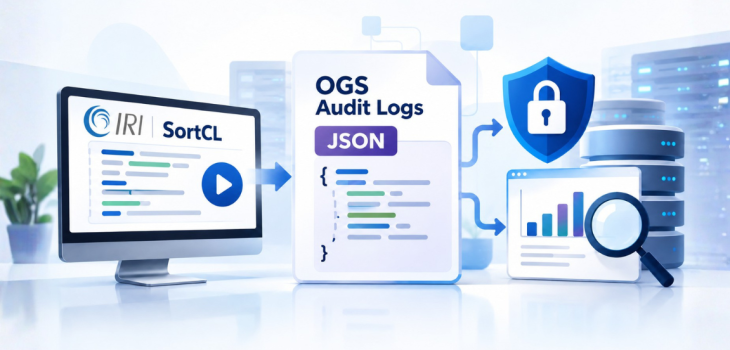
In governed data environments, knowing who manipulated what data, when, and how is just as important as controlling access to the data itself. The IRI Operational Governance System (OGS) addresses this requirement through a configurable, JSON-based audit logging framework that records SortCL job execution activity, including successful, failed, and denied execution attempts.
SortCL is the fourth-generation language (4GL) data processing program behind IRI CoSort, FieldShield, NextForm, RowGen, and Voracity jobs. Its audit logs give IRI software users visibility into job activity for compliance, security, performance tuning, and operational monitoring.
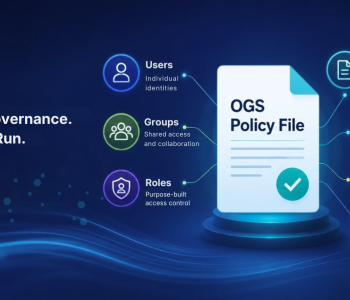
These logs are generated automatically at runtime. However, their content can be configured through the OGS Policy File. For example, governors can select specific audit items, categories, or predefined logging modes to determine the information recorded.
This article explains the purpose, benefits, structure, and configuration of OGS audit logs, including how they are created, what they contain, and how they support enterprise governance.
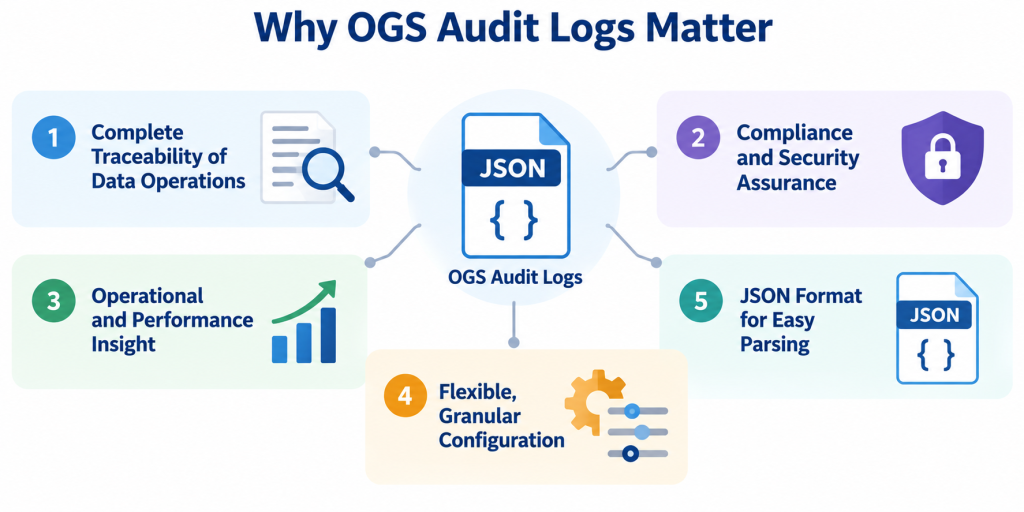
Why OGS Audit Logs Matter
Audit logs are a key component of the OGS framework because they provide a record of SortCL job execution activity. As a result, organizations can use this information to monitor data operations, review security decisions, investigate failures, and evaluate system performance.
1. Complete Traceability of Data Operations
Every execution of a SortCL job normally produces an audit log, even if the job fails or is denied, provided that audit logging is enabled.
As stated in the technical documentation:
“Each time sortcl is launched, a new audit log file is produced. Normally, an audit log is produced even if the job fails.”
This provides a traceable record of SortCL job activity, including unsuccessful execution attempts. As a result, administrators and auditors can review job activity, investigate failures, and identify potential security or compliance issues.
2. Compliance and Security Assurance
OGS audit logs help organizations maintain records relevant to:
- Data access accountability
- Privacy and regulatory compliance reviews
- Role-based access control (RBAC) policy enforcement
- Detection and investigation of unauthorized activity
By recording execution information and permission outcomes, these logs provide evidence that security and governance teams can use during audits and internal investigations. However, audit records support compliance processes rather than independently guaranteeing regulatory compliance.
3. Operational and Performance Insight
Beyond security and accountability, OGS audit logs can capture runtime information relevant to SortCL performance, including:
- Memory usage
- Thread counts
- Asynchronous I/O (AIO) settings
- Sort directories
- Job start and stop times
Performance engineers and system administrators can examine this information to identify resource constraints and evaluate SortCL job configurations. For example, reviewing memory consumption, thread utilization, and job execution times can help teams investigate performance bottlenecks.
4. Flexible, Granular Configuration
The OGS Policy File Manager (PFM) allows designated governors to control audit log content.
Governors can select:
- Individual audit items
- Entire categories of audit items
- Predefined logging modes, including ALL, NONE, and MINIMAL
This flexibility allows organizations to tailor their audit records to operational needs rather than collecting every available attribute for every job. For high-volume workloads, more selective logging can also help control the amount of information stored.
5. JSON Format for Easier Parsing and Analysis
OGS audit logs use JavaScript Object Notation (JSON), a structured format that supports machine-readable analysis.
These logs can be processed by:
- Security information and event management (SIEM) tools
- Log analytics platforms
- Custom reporting applications
- The Audit Log Wrangler utility
Because log information is organized into structured attributes, auditors and administrators can extract relevant execution details without manually reviewing entire job records.
What OGS Audit Logs Are
OGS audit logs are JSON files created by SortCL at runtime. Their creation involves two primary write phases.
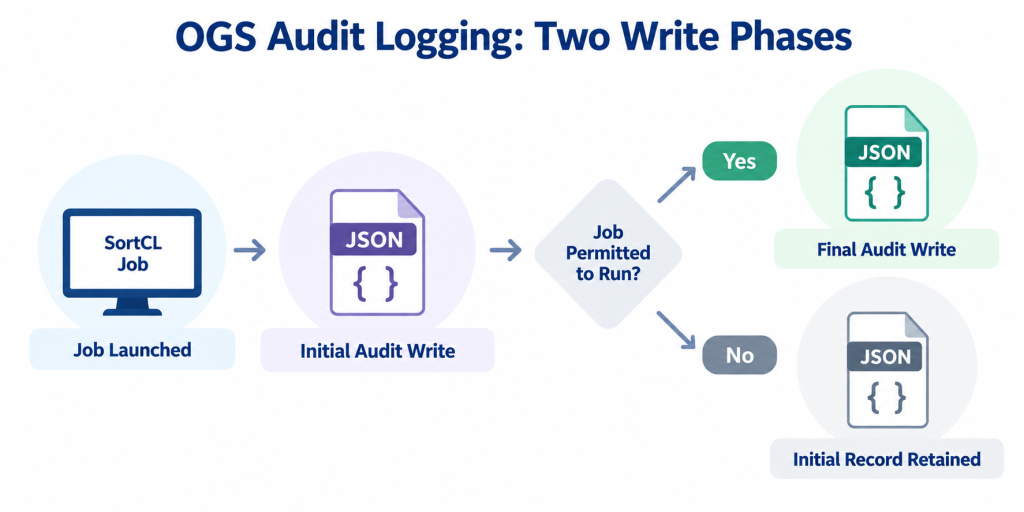
1. Initial Write Phase
When SortCL launches, the audit logging process records basic execution information, such as:
- User
- Job name
- Timestamp
This initial record allows OGS to capture information about the execution attempt, including when a job does not proceed successfully.
2. Final Write Phase
If the job is permitted to run, SortCL can add more detailed information to the audit record.
Depending on the configured audit items, this information may include:
- Performance metrics
- Data sources and targets
- Conditions
- Functions
- Set files
- Runtime statistics
The technical documentation describes this process:
“The Audit record is written to twice… basic information is written… [then] statistical and performance
information is added.”
This two-phase approach is particularly important for governance. It enables audit records to capture initial job execution information even when a job is aborted or denied, subject to the configured audit logging policy.
Audit Log File Naming and Location
By default, SortCL writes its JSON audit logs to the following directories:
| Operating system | Default log directory |
| Linux | $COSORT_HOME/logs |
| Windows | %COSORT_HOME%\logs |
Each audit log uses a filename containing execution-specific information.
File naming format:
Audit-<timestamp>-<pid>-<hostname>-sortcl.json
Example from the technical documentation:
Audit-2026-10-13T14-13-01-005164-CUMULUS-sortcl.json
The filename identifies several important attributes:
| Component | Description |
timestamp |
Date and time associated with the execution |
pid |
Process ID of the executing job |
hostname |
Name of the machine running SortCL |
sortcl.json |
SortCL audit log identifier and JSON file extension |
This naming convention makes it easier to distinguish individual job executions and organize audit records for analysis, archival, and reporting.
What Information Can OGS Audit Logs Contain?
OGS supports numerous audit items that describe job execution, data processing activity, and runtime behavior. Depending on the selected audit configuration, logs can include:
| Audit information | Details captured |
| Data sources and targets | Sources accessed and output targets used |
| Set files | Set files referenced during execution |
| Data classes and fields | Data classes and field names associated with the job |
| Conditions | Conditions used in job processing |
| Field-level functions | Functions involved in data operations |
| Execution times | Job start and stop times |
| Memory usage | Runtime memory consumption |
| Thread counts | Thread-related execution information |
| AIO settings | Asynchronous I/O configuration |
| Sort directories | Directories used for sort processing |
These audit attributes help organizations understand both the data operations performed and the resources involved. For instance, security personnel can review the data sources and field-level operations associated with a job. Meanwhile, performance engineers can examine memory and thread information to investigate processing efficiency. Governors determine which items are included by selecting individual audit fields, complete categories, or predefined audit modes in the OGS Policy File.
OGS Audit Modes
The Policy File Manager provides three primary audit logging modes: ALL, NONE, and MINIMAL.
| Audit mode | Behavior | Purpose |
| ALL | Logs all available audit information | Detailed operational analysis and auditing |
| NONE | Disables audit logging | Environments where OGS audit log generation is intentionally disabled |
| MINIMAL | Records a limited set of governance information | Reduced logging overhead and smaller audit records |
ALL Mode
The ALL mode includes all available audit items.
This provides a comprehensive record for administrators who require detailed information about SortCL job activity, configurations, and performance. Because this mode can generate more extensive audit records, organizations should consider storage requirements when collecting logs across high-volume workloads.
NONE Mode
The NONE mode disables audit logging. This option is available through the Policy File Manager, although organizations should consider their security, compliance, and operational requirements before disabling audit records.
MINIMAL Mode
The MINIMAL mode captures only selected essential governance information, including:
- Policy file
- Runtime statistics
- Permissions
This mode is useful when an organization needs basic audit visibility without recording every available job attribute. For environments executing large numbers of SortCL jobs, MINIMAL mode can reduce the volume of audit information collected.
Configuring Audit Logs in the Policy File Manager
The IRI OGS Policy File Manager provides a menu-driven interface for defining and modifying audit settings. Governors can use the following menu sequence:
Modify Policy File

→ Add Policy

→ Audit Item
The Audit Item menu contains the following options:
(1) List available audit categories

(2) List available audit items

(3) Add an audit category

(4) Add an audit item

(5) Specify an audit mode
These options allow governors to review available attributes and configure which information SortCL records during execution.
Selecting an Audit Mode
Choosing Specify an audit mode presents three options:
(1) All

(2) None

(3) Minimal
The governor can select the appropriate logging mode based on the organization’s governance and monitoring requirements.
Alternatively, individual audit items or categories can be selected to provide more granular control over the information collected. This menu-driven approach makes audit configurations easier to define and maintain consistently across SortCL job environments.
Example: Minimal Audit Log Configuration
A minimal audit section in the OGS Policy File can be defined as follows:
"AUDIT": {
    "ITEMS": [],
    "CATEGORIES": [],
    "MODE": ["Minimal"]
}
In this example:
ITEMSis an empty array because no individual audit items are specified.CATEGORIESis an empty array because no additional audit categories are selected.MODEis set toMinimal, indicating that the minimal audit logging configuration is selected.
With this configuration, the audit log contains the limited governance information associated with MINIMAL mode. The Policy File also allows individual audit items and categories to be selected, providing governors with additional configuration flexibility.
How OGS Audit Logs Support Governance and Optimization
OGS audit logs support several operational functions, from security investigations to performance engineering.
Security and Compliance
Audit records help governance and security teams investigate questions such as:
- Who ran a particular job?
- What data did the job access?
- Was the user authorized to execute the job?
- Did the execution attempt violate an established policy?
By preserving information about execution attempts and permission decisions, OGS provides records that can support accountability and compliance reviews.
Performance Engineering
Performance-related log information can help administrators investigate:
- Processing bottlenecks
- Memory constraints
- Thread utilization
- I/O patterns
These details allow performance engineers to evaluate SortCL jobs and identify opportunities to adjust processing configurations or resource allocation.
Operational Monitoring
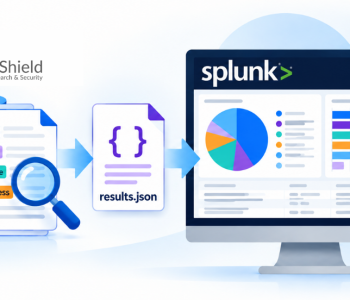
JSON audit records can be opened and analyzed using several tools, including:
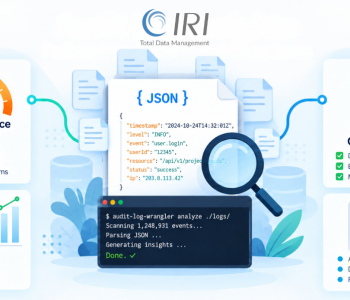
- The IRI OGS Audit Log Wrangler utility
- Splunk
- Azure Monitor
- SIEM platforms
- Custom analytics dashboards
The Audit Log Wrangler utility provides a way to analyze structured SortCL audit information within the IRI OGS environment. Other platforms can use the JSON records as inputs to broader monitoring and reporting processes, subject to the appropriate integration and configuration.
Forensics and Troubleshooting
Because SortCL normally creates an initial audit record when execution begins, audit logs can provide useful information even when a job does not complete.
This supports troubleshooting of:
- Permission issues
- Script signature validation failures
- Runtime errors
Administrators can review available audit information to understand what occurred during an execution attempt and identify possible causes of failure.
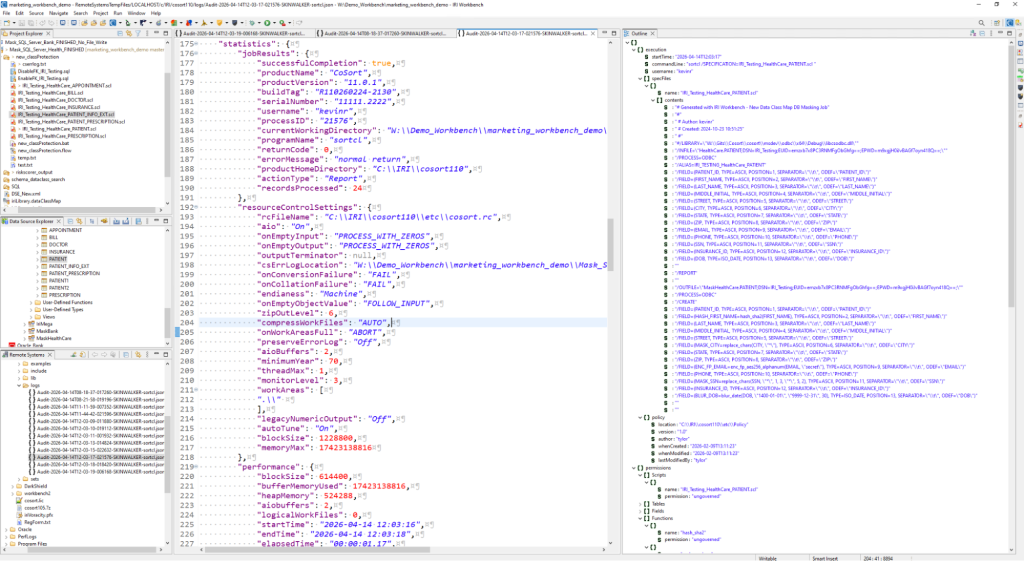
Audit Log Sample
The example illustrates an OGS audit log displayed in the IRI Workbench environment, including structured JSON attributes and execution-related information. It demonstrates how audit data can be inspected and reviewed for operational analysis.
Conclusion
OGS audit logs are an important component of operational governance in IRI CoSort Version 11 and related SortCL-based products. They provide visibility for:
- Compliance and accountability
- Security monitoring and investigations
- Performance tuning
- Operational analysis
By combining flexible configuration, structured JSON records, and automatic generation, OGS audit logging helps organizations maintain a traceable record of SortCL job execution activity.
The Policy File Manager also enables governors to adjust audit content based on organizational requirements, while the resulting logs can support monitoring, reporting, and troubleshooting across data processing environments.
For more information about querying, filtering, and analyzing these logs, read IRI Audit Log Wrangler for Performance & Security
Frequently Asked Questions (FAQs)
What are OGS audit logs in IRI SortCL?
OGS audit logs are JSON files generated by SortCL to record job execution activity. They capture information such as users, job names, timestamps, permissions, data sources, and runtime statistics, depending on the audit configuration defined in the IRI OGS Policy File.
Does SortCL generate audit logs when a job fails or is denied?
Yes. When audit logging is enabled, SortCL normally creates an initial audit record when a job launches, even if execution fails or is denied. If the job is permitted to run, additional execution and performance information can be added to the record.
What are the available audit logging modes in IRI OGS?
The OGS Policy File Manager provides three audit modes: ALL, NONE, and MINIMAL. ALL records all available audit information, NONE disables audit logging, and MINIMAL records essential governance information, including the policy file, runtime statistics, and permissions.
How can administrators configure OGS audit logs?
Administrators can configure audit logging through the IRI OGS Policy File Manager (PFM). They can select individual audit items, entire audit categories, or predefined logging modes. These settings determine which information SortCL records during job execution.
Where are SortCL audit logs stored, and how can they be analyzed?
By default, SortCL audit logs are stored in $COSORT_HOME/logs on Linux and %COSORT_HOME%\logs on Windows. The logs use structured JSON and can be analyzed with the IRI Audit Log Wrangler utility, Splunk, Azure Monitor, SIEM platforms, or custom dashboards.