Controlling the Growth of New IRI Audit Logs
Abstract: With the introduction of CoSort v11 and its built-in Operational Governance System (OGS), a new JSON Audit Log has replaced less functional legacy log formats associated with the execution of SortCL job scripts. This article highlights several methods to control the size and number of logs generated from CoSort, Voracity, FieldShield, RowGen, and NextForm jobs.
Effective with the release of CoSort Version 11 in Q1 ‘2026, a new custom-populated JSON log file is generated with every sortcl job executed. These logs should replace those generated in older versions and write to %COSORT_HOME%\logs on Windows and $COSORT_HOME/logs on Linux. The log files are also created when jobs fail to run.
Even without setting up the OGS, these new audit logs will accumulate by default. And because of their rich content and the possibility of rapid growth in the number of log files when many jobs run, managing these logs — which can exceed 10KB per file — should be performed to save disk space.
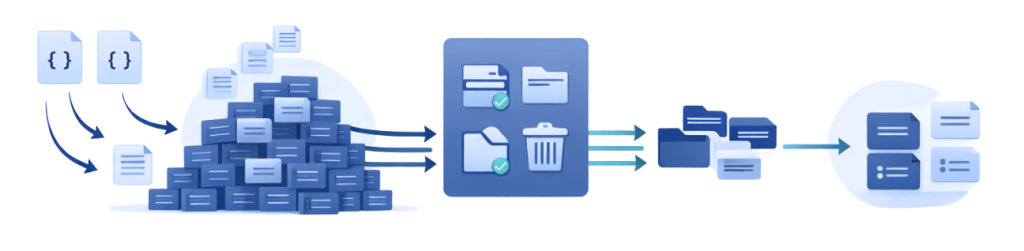
Of course, you can compress, move, or delete these files manually or automatically through operating system commands or schedulers. However, if you want to set policies and procedures to manage log creation, content, and retention through the OGS, you can. To do so, have the designated OGS “Governor” run the menu-driven Policy File Manager (PFM) utility described below in this section.
Audit Log File Names
By way of background, each Audit Log filename is in this form:
Audit-timestamp-pid-hostname-sortcl.json
where:
- Timestamp is an ISO timestamp for the date and time of job execution
- pid is the process ID of the job
- hostname is the hostname of the machine that ran the job
An example Audit Log file name is:
Audit-2026-04-26T10-06-05-007736-CUMULUS-sortcl.json
Audit Log File Content Policy
Below is a Policy file as it exists for the initial installation. The AUDIT section of the Policy file determines what is recorded in an Audit Log. Note the value for “MODE”.
 "POLICY":       {
                "ERROR_LEVEL":  "Verbose",
                "UNGOVERNED_BEHAVIOR":  "Permit",
                "AUDIT":        {
                        "ITEMS":        [],
                        "CATEGORIES":   [],
                        “MODE”: [ALL
]
                },
                "HISTORY":      {
                        "VERSION":      "1.0",
                        "AUTHOR":       "Taylor",
                        "CREATION_DATE":        "2026-01-19T14:47:43",
                        "LAST_MODIFIED":        "2026-01-19T14:47:43",
                        "LAST_MODIFIED_BY":     "Taylor",
                        "DESCRIPTION":  "IRI"
When MODE is:
- ALL – the default, all items will be recorded in the Audit Log file for each sortcl run
- None – as no items are selected, there will be no Audit Log file
- Minimal – only runtime stats and permissions are recorded in the Audit Log file
Mode can be left empty to allow more granular customization of the log content. Then, log CATEGORIES, individual log ITEMS, or any combination of the two can be specified in the Policy File. The list of these items can be found in the Audit Log Schema chapter of the Governance Manual for CoSort 11.
Method 1) Limiting Audit Log File Content Creation
By default, Audit is set to ALL. To change the values that will be recorded in the Audit Logs, someone from the Governor Group must run the OGS Policy File Manager (PFM) utility. PFM is a command-line, menu-driven program called policy_file_manager.exe on Windows (in %COSORT_HOME%\bin) or policy_file_manager* on Linux (in $COSORT_HOME/bin).
A Governor can run the above command to launch the utility. To set up the AUDIT section of the Policy file using the policy_file_manager program, select these menu options in this sequence:
(2)     Modify an existing Policy file
(1)     Modify current Policy file
(1)     Add Policy
(5)     Audit Item
This menu then displays:
(1)     List available audit categories
(2)     List available audit items
(3)     Add an audit category
(4)     Add an audit item
(5)     Specify an audit mode
(6)     Return to prior menu
(7)     Return to main menu
(8)     (Save? and) exit program
The options in this menu allow the Governor to review, choose, and specify only the mode, categories, or specifically-named items that should be generated in the Audit logs.
Method 2) Managing Audit Log File Location and Retention
Over time, generating many large Audit Log files can tax disk capacity. You can run the OGS policy_file_manager utility to configure log retention rules saved in the Policy File and enforced with the cs_logManager utility. The cs_logManager utility will then move or delete existing Audit Log files from the directory where the logs are stored.
First, it is necessary to define where a log is generated when each sortcl job runs. Launch the policy_file_manager utility and make the following choices in this order when presented to you:
(2)     Modify an existing Policy file
(1)     Modify current Policy file
(1)     Add Policy
(8)     Log Retention Policy
Specify directory of stored logs. Press enter if it's located in the default location.
(Here I will press enter to specify the default location of COSORT_HOME/logs.)

Add an audit log policy ?
(1)     Yes

Enter selection criteria for audit log retention policy ?
(1)     MOVE
(2)     DELETE
(3)     Abort policy

1

Enter the Age in days that you want the logs to be checked against. Enter 0 for no checking.
301

Enter the location where you want the logs to be moved to.2
C:\IRI\cosort110\LOG_FILES2
We have chosen to move the files from COSORT_HOME\logs to the directory C:\IRI\cosort110\LOG_FILES2. These files will be moved when the utility cs_logManager.exe (Windows) or cs_logManager (Linux) is executed; i.e., manually or as you automate in a job scheduler.
We can therefore choose to maintain the files in the original directory for whatever period of time is desired. Then, when the utility cs_logManager (in COSORT_HOME\bin) is run, all Audit Log files in COSORT_HOME\logs 30 days or older are moved into C:\IRI\cosort110\LOG_FILES2.
From here, the log files can be further managed independently.3
Method 3) Using Wrangler to Save Only Desired Log Content
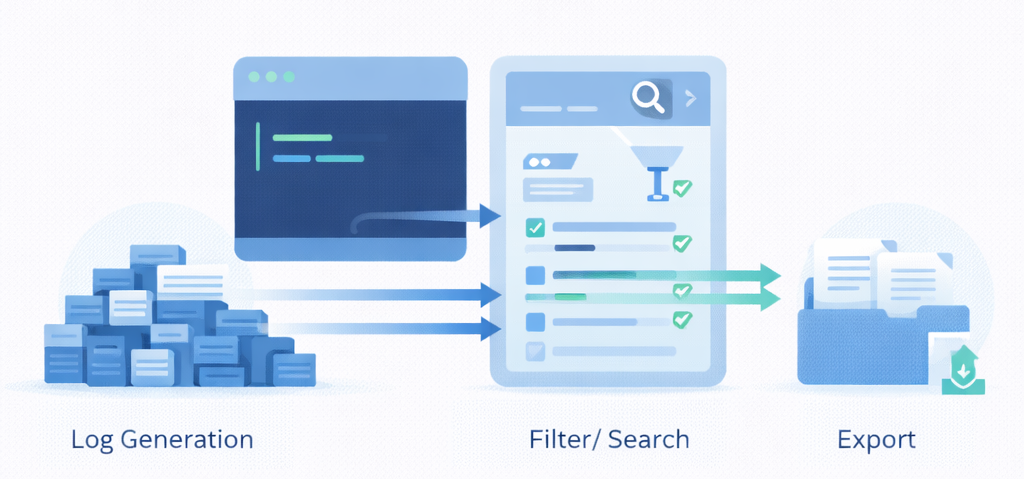
The Wrangler utility is used to query and export data from existing Audit Log files. It can run in either interactive or command-line batch mode, and is documented in the OGS manual.
Obtain OGS documentation from IRI if your installer did not download it with the software. Examples in its Audit Log Wrangler chapter show how to query and export only the information needed from existing logs for audits or archival.
Running the Wrangler tool with the right mix of SELECT and WHERE syntax can produce delimited file extracts from the fuller JSON Audit Logs, where each row in the wrangled output has information from one Audit Log file. Those Audit Logs can then be deleted because they are no longer needed.
Identifying the Audit Log files to delete (i.e., those from which information has already been saved off) will be easier if processID is part of the query. This is because processID is part of the Audit Log file name and can thus be used in a bulk deletion operation on the command line.
Note that this approach is predicated on having the permission of your enterprise and its regulators to delete logs that currently exist. And of course, IRI expressly disclaims all liability for any use or misuse of the Wrangling utility, or other ways in which log data may be removed or deleted.
Method 4) Future Tooling – Selective Audit Log Content Scrubbing
IRI is now also considering a separate log scrubbing tool for selective log reduction and segmentation after the fact. This utility will be used in log segmentation and scrubbing based on a range of different qualitative and quantitative filters. This will support post-creation log retention and culling for both IRI and other log wrangling and analytic facilities, again, where permitted.
Conclusion
Audit Logs can be created for every sortcl job that executes. These Audit Logs are designed to hold information based on the items selected using the OGS Policy file. The Audit Logs are held in the COSORT_HOME\logs directory by default and can be culled manually.
Using the Policy File Manager (PFM) utility, the OGS governor can configure the content of the logs. Those logs can be moved or deleted using the cs_logManager. It acts on the log retention criteria defined through the PFM and saved in the Policy File.
In addition, the OGS Audit Log Wrangler utility can be used to query and save off desirable subsets of data from old logs, allowing deletion of the original logs where permitted.
- Log file creation date determines its age to the OGS, and be be seen. That date is evident in the name of the log file or from by right clicking for properties on it within a Windows folder.
- If DELETE is chosen, then those logs are deleted.
- Compression is not supported via OGS, but can be performed manually on logs after a move.