Masking PII in ACH Files
Abstract: This article discusses the content and obfuscation of sensitive sender or receiver information in ACH (NACHA) files, which are regularly used by banks and businesses to transmit payroll and payment data. The solution uses the data definition and manipulation 4GL of the CoSort SortCL program behind the IRI FieldShield structured data masking tool.
What Is an ACH File?
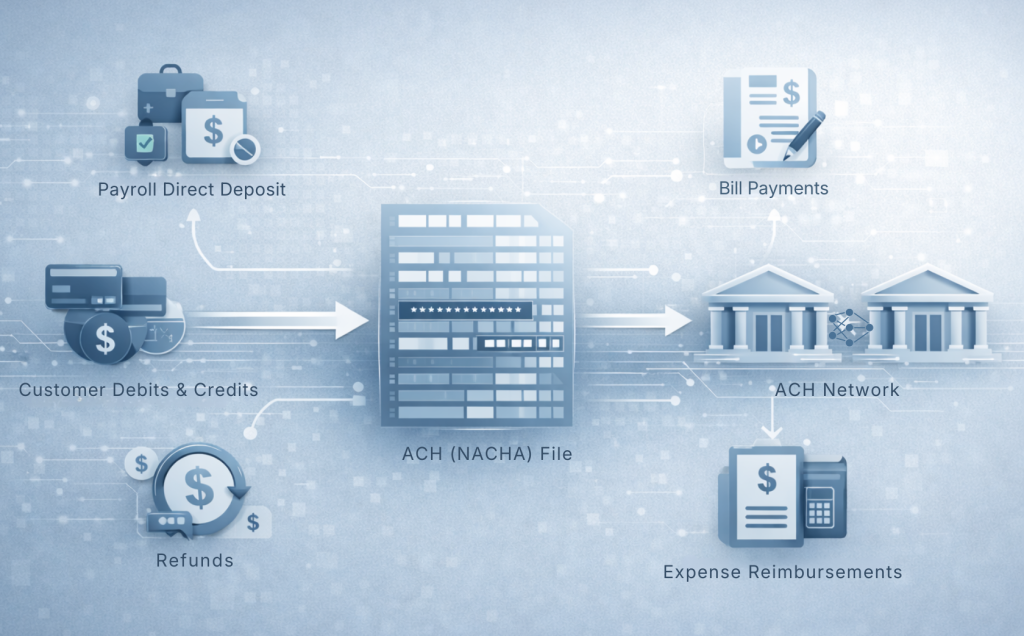
In general, an ACH file, also known as a NACHA file, contains instructions for processing electronic fund transfers through the Automated Clearing House (ACH) Network. More specifically, organizations use ACH files to bundle and send transaction information for direct deposit payroll, customer payments, and bill payments. ACH files can also be used to send refunds, expense reimbursements, and to validate bank account information.
ACH File Structure and Record Types
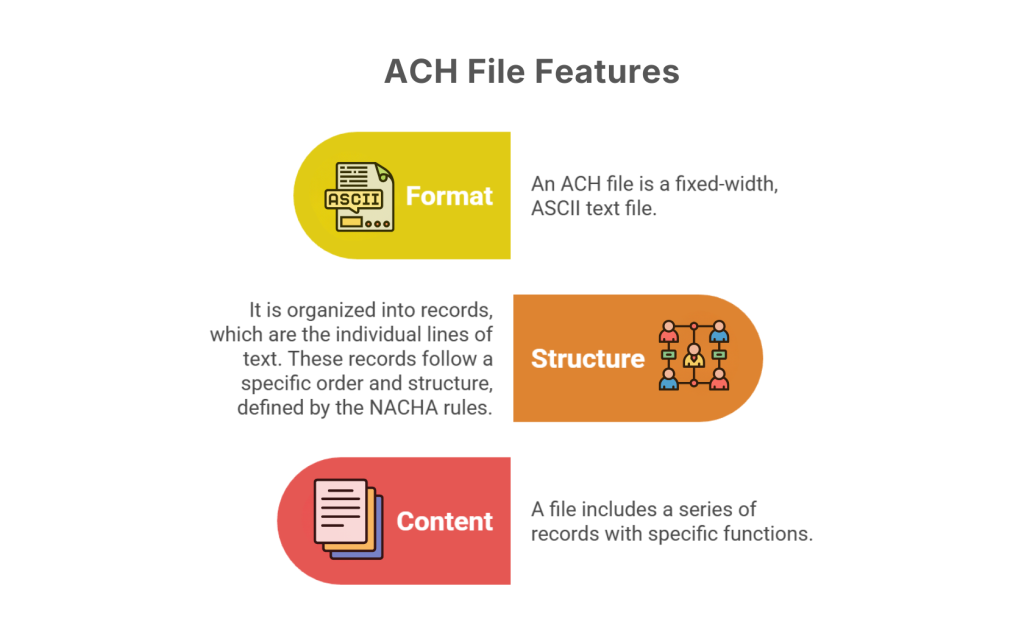
Each ACH file contains multiple batches of transactions, with each transaction detailing the sender, recipient, and payment amount in 94-character-long lines, and having these features:
1. Format: An ACH file is a fixed-width, ASCII text file.
2. Structure: In turn, it is organized into records, which are the individual lines of text. Accordingly, NACHA rules define the order and structure of these records.
3. Content: A file includes a series of records with specific functions, such as:
- File Header Record (Type 1): Contains metadata about the file, like sender and receiver information.
- Batch Header Record (Type 5): Describes the type of transactions within a payment batch.
- Entry Detail Record (Type 6): Contains the specific details of a single transaction.
- Entry Detail Addenda Record (Type 7): Provides optional detailed information that adds further information about the preceding Entry Detail Record.
- Batch Control Record (Type 8): Summarizes the total money in a batch.
- File Control Record (Type 9): Provides the total number of records in the entire file for validation.
Defining ACH Records in SortCL
Each record has the Type number as the first byte in the record. When defining the input section in a sortcl script, it is necessary to have field definitions for each type of record. This makes the input section quite large. Here is the input section:
/INFILE=ach_passthru.ach
       /FIELD=(RecordType, POSITION=1, SIZE=1, TYPE=ASCII)
# Type 1 Record
       /FIELD=(PriorityCode, POSITION=2, SIZE=2, TYPE=ASCII)
       /FIELD=(Im_Destimation,POSITION=4, SIZE=10, TYPE=ASCII)
       /FIELD=(Im_Origin, POSITION=14, SIZE=10, TYPE=ASCII)
       /FIELD=(File_Creation_Date, POSITION=24, SIZE=6, TYPE=NUMERIC, PRECISION=0)
       /FIELD=(File_Creation_Time, POSITION=30, SIZE=4, TYPE=NUMERIC, PRECISION=0)
       /FIELD=(File_ID_Modifier, POSITION=34, SIZE=1, TYPE=ASCII)
       /FIELD=(Record_Size, POSITION=35, SIZE=3, TYPE=ASCII)
       /FIELD=(BlockingFactor, POSITION=38, SIZE=2, TYPE=ASCII)
       /FIELD=(FormatCode, POSITION=40, SIZE=1, TYPE=ASCII)
       /FIELD=(Im_DestinationName, POSITION=41, SIZE=23, TYPE=ASCII)
       /FIELD=(Im_OriginName, POSITION=64, SIZE=23, TYPE=ASCII)
       /FIELD=(ReferenceCode, POSITION=87, SIZE=8, TYPE=ASCII)
       /FIELD=(WHOLEREC1,POSITION=2,SIZE=93, TYPE=ASCII)
# Type 5 Record
       /FIELD=(ServClassCode, POSITION=2, SIZE=3, TYPE=ASCII)
       /FIELD=(CompanyName, POSITION=5, SIZE=16, TYPE=ASCII)
       /FIELD=(DiscretionaryData, POSITION=21, SIZE=20, TYPE=ASCII)
       /FIELD=(CompanyID, POSITION=41, SIZE=10, TYPE=ASCII)
       /FIELD=(StdEntryClass, POSITION=51, SIZE=3, TYPE=ASCII)
       /FIELD=(CompanyEntryDesc, POSITION=54, SIZE=10, TYPE=ASCII)
       /FIELD=(CompanyDescDate, POSITION=64, SIZE=6, TYPE=NUMERIC, PRECISION=0)
       /FIELD=(EffectiveDate, POSITION=70, SIZE=6, TYPE=NUMERIC, PRECISION=0)
       /FIELD=(SettlementDate, POSITION=7, SIZE=3, TYPE=ASCII)
       /FIELD=(OrigStatusCode, POSITION=79, SIZE=1, TYPE=ASCII)
       /FIELD=(OrigdfiIdent, POSITION=80, SIZE=8, TYPE=ASCII)
       /FIELD=(BatchNum5, POSITION=88, SIZE=7, TYPE=ASCII)
       /FIELD=(WHOLEREC5,POSITION=2,SIZE=93, TYPE=ASCII)
# Type 6 Record
       /FIELD=(TransCode, POSITION=2, SIZE=2, TYPE=ASCII)
       /FIELD=(ReceivingDFI_Ident, POSITION=4, SIZE=8, TYPE=ASCII)
       /FIELD=(CheckDigit, POSITION=12, SIZE=1, TYPE=ASCII)
       /FIELD=(DFI_ACCT_Num, POSITION=13, SIZE=17, TYPE=ASCII)
       /FIELD=(Amount, POSITION=30, SIZE=10, TYPE=NUMERIC, PRECISION=0)
       /FIELD=(IndividualIdentNum, POSITION=40, SIZE=15, TYPE=ASCII)
       /FIELD=(IndividualName, POSITION=55, SIZE=22, TYPE=ASCII)
       /FIELD=(DiscretionaryData, POSITION=77, SIZE=2, TYPE=ASCII)
       /FIELD=(AddendaRecordIndicator, POSITION=79, SIZE=1, TYPE=ASCII)
       /FIELD=(TraceNum, POSITION=80, SIZE=15, TYPE=ASCII)
       /FIELD=(WHOLEREC6,POSITION=2,SIZE=93, TYPE=ASCII)
# Type 7 Record
       /FIELD=(AddendaType, POSITION=2, SIZE=2, TYPE=ASCII)
       /FIELD=(PaymentInfo, POSITION=4, SIZE=80, TYPE=ASCII)
       /FIELD=(AddendaSequenceNum, POSITION=84, SIZE=4, TYPE=NUMERIC, PRECISION=0)
       /FIELD=(DetailSequenceNumber,POSITION=88, SIZE=7, TYPE=NUMERIC, PRECISION=0)
# Type 8 Record
       /FIELD=(ServiceClassCode, POSITION=2, SIZE=3, TYPE=ASCII)
       /FIELD=(EntryAddendaCount, POSITION=5, SIZE=6, TYPE=ASCII)
       /FIELD=(EntryHash8, POSITION=11, SIZE=10, TYPE=ASCII)
       /FIELD=(TotalDebitDollatAmt, POSITION=21, SIZE=12, TYPE=NUMERIC, PRECISION=0)
       /FIELD=(TotalCreditDollatAmt, POSITION=33, SIZE=12, TYPE=NUMERIC, PRECISION=0)
       /FIELD=(CompanyIdent, POSITION=45, SIZE=10, TYPE=ASCII)
       /FIELD=(MessageAthentCode, POSITION=55, SIZE=19, TYPE=ASCII)
       /FIELD=(Reserved8, POSITION=74, SIZE=6, TYPE=ASCII)
       /FIELD=(OrigDFI_Ident, POSITION=80, SIZE=8, TYPE=ASCII)
       /FIELD=(BatchNum8, POSITION=88, SIZE=7, TYPE=ASCII)
       /FIELD=(WHOLEREC8,POSITION=2,SIZE=93, TYPE=ASCII)
# Type 9 Record
       /FIELD=(BatchCount, POSITION=2, SIZE=6, TYPE=NUMERIC, PRECISION=0)
       /FIELD=(BlockCount, POSITION=8, SIZE=6, TYPE=NUMERIC, PRECISION=0)
       /FIELD=(EntryAddendaCount, POSITION=14, TYPE=NUMERIC, PRECISION=0)
       /FIELD=(EntryHash9, POSITION=22, SIZE=10, TYPE=ASCII)
       /FIELD=(TotalDebitDollarAmt, POSITION=32, SIZE=12, TYPE=NUMERIC, PRECISION=0)
       /FIELD=(TotalCreditDollarAmt, POSITION=44, SIZE=12, TYPE=NUMERIC, PRECISION=0)
       /FIELD=(Reserved9, POSITION=56, SIZE=39, TYPE=ASCII)
       /FIELD=(WHOLEREC9,POSITION=2,SIZE=93, TYPE=ASCII)
/REPORT  # This indicates that the records will be copied to output without sorting.
Notice that there is a WHOLEREC field for each section. This field starts at Position 2. For this purpose, SortCL can use these fields to copy the entire record to the output for each record type. Afterward, SortCL can copy any fields that require processing over the WHOLEREC field.
Identifying Sensitive Data in ACH Files
Here is the input file with the sensitive data shown in bold:
101 122201198 1222011982412031439A094101SAILOR'S AND MERCHANTS NO TOW SERVICE
5200NO TOW SERVICE                      9161663240PPDPAYROLL   241204241204   1122201190000001
622121000358001501503897     0000003602000021047      BRANDINO GONZALEZ       0122201190000001
622073972181143400474683360  0000029359000021730      STEVE HIBISCUS          0122201190000002
622073972181143400474668002  0000019634000018263      ISMUTH STRAIT           0122201190000003
622121000248325868223363937600000043800000021066      PAULINA MOLINA          0122201190000004
622073972181143400474672536  0000083776000021781      ISMAEL GONZALEZ         0122201190000005
622073972181143400474672536  0000008566000021781      DAMASCUS GONZALEZ       0122201190000006
62712220119801-162683        0000188737161663240      SAILOR'S AND MERCHANTS  0122201190000007
820000000700660090500000001887370000001887379161663240                         122201190000001
9000001000002000000070066009050000000188737000000188737
9999999999999999999999999999999999999999999999999999999999999999999999999999999999999999999999
9999999999999999999999999999999999999999999999999999999999999999999999999999999999999999999999
9999999999999999999999999999999999999999999999999999999999999999999999999999999999999999999999
9999999999999999999999999999999999999999999999999999999999999999999999999999999999999999999999
9999999999999999999999999999999999999999999999999999999999999999999999999999999999999999999999
9999999999999999999999999999999999999999999999999999999999999999999999999999999999999999999999
101 122201198 1222011982412031442A094101SAILOR'S AND MERCHANTS SMOL FAMILY
5200SMOL FAMILY                         1850530129PPDPAYROLL   241204241204   1122201190000002
6221210428823851748958       0000166578000060109      NOTO RIOUS              0122201190000001
62712220119801-178857        0000166578850530129      SAILOR'S AND MERCHANTS  0122201190000002
820000000200243244070000001665780000001665781850530129                         122201190000002
9000001000001000000020024324407000000166578000000166578
9999999999999999999999999999999999999999999999999999999999999999999999999999999999999999999999
9999999999999999999999999999999999999999999999999999999999999999999999999999999999999999999999
9999999999999999999999999999999999999999999999999999999999999999999999999999999999999999999999
9999999999999999999999999999999999999999999999999999999999999999999999999999999999999999999999
Masking ACH Data with Format-Preserving Encryption
Next, the job script defines an output section for each record type. However, all of these sections use the same output file name. In addition, a /INCLUDE condition uses the record type to determine which output section receives each input record.
Let’s say that for:
- record type 5, the fields CompanyName and CompanyID need to be encrypted
- record type 6, the field IndividualName needs to be encrypted
- record type 7, the field PaymentInfo needs to be encrypted
Specifically, the output section below applies a format-preserving encryption function to the three record types described above.
Following is the output section of the same job script, showing a function applied to the three record types (fields) described above:
/OUTFILE=fileACH.out
/PROCESS=RECORD
/INCLUDE WHERE RECORDTYPE EQ "1"
/FIELD=(RECORDTYPE, POSITION=1, SIZE=1, TYPE=ASCII)
/FIELD=(WHOLEREC1, POSITION=2, SIZE=93, TYPE=ASCII)
/FIELD=(ENC_Im_Origin=enc_fp_aes256_alphanum(Im_Origin), POSITION=64,
              SIZE=23, TYPE=ASCII)
/OUTFILE=fileACH.out
/INCLUDE WHERE RECORDTYPE EQ "5"
/PROCESS=RECORD
/FIELD=(RECORDTYPE, POSITION=1, SIZE=1, TYPE=ASCII)
/FIELD=(WHOLEREC5, POSITION=2, SIZE=93, TYPE=ASCII)
/FIELD=(ENC_CompanyName=enc_fp_aes256_alphanum(CompanyName), POSITION=5,
              SIZE=16, TYPE=ASCII)
    /FIELD=(ENC_CompanyID=enc_fp_aes256_alphanum(CompanyID), POSITION=41,
              SIZE=10, TYPE=ASCII)
/OUTFILE=fileACH.out
/INCLUDE WHERE RECORDTYPE EQ "6"
/PROCESS=RECORD
/FIELD=(RECORDTYPE, POSITION=1, SIZE=1, TYPE=ASCII)
/FIELD=(WHOLEREC6, POSITION=2, SIZE=93, TYPE=ASCII)
/FIELD=(ENC_IndividualName=enc_fp_aes256_alphanum(IndividualName),
              POSITION=55, SIZE=22, TYPE=ASCII)
/OUTFILE=fileACH.out
/INCLUDE WHERE RECORDTYPE EQ "7"
/PROCESS=RECORD
/FIELD=(RECORDTYPE, POSITION=1, SIZE=1, TYPE=ASCII)
/FIELD=(WHOLEREC6, POSITION=2, SIZE=93, TYPE=ASCII)
/FIELD=(ENC_PaymentInfo=enc_fp_aes256_alphanum(PaymentInfo), POSITION=4,
              SIZE=80, TYPE=ASCII)
/OUTFILE=fileACH.out
/INCLUDE WHERE RECORDTYPE EQ "8"
/PROCESS=RECORD
/FIELD=(RECORDTYPE, POSITION=1, SIZE=1, TYPE=ASCII)
/FIELD=(WHOLEREC8, POSITION=2, SIZE=93, TYPE=ASCII)
/OUTFILE=fileACH.out
/INCLUDE WHERE RECORDTYPE EQ "9"
/PROCESS=RECORD
/FIELD=(RECORDTYPE, POSITION=1, SIZE=1, TYPE=ASCII)
/FIELD=(WHOLEREC9, POSITION=2, SIZE=93, TYPE=ASCII)
Reviewing the Masked ACH Output
Finally, running the job creates the output file shown below. Masked data is shown in bold:
101 122201198 1222011982412031439A094101SAILOR'S AND MERCHANTS NO TOW SERVICE
5200DW IWU MBUAUBO                      7511506012PPDPAYROLL   241204241204   1122201190000001
622121000358001501503897     0000003602000021047      EZISHIYO WVIZVMRG       0122201190000001
622073972181143400474683360  0000029359000021730      APWKN FXTKIRPK          0122201190000002
622073972181143400474668002  0000019634000018263      VHBJEO OQZSSE           0122201190000003
622121000248325868223363937600000043800000021066      PAQIVOE JEMMYO          0122201190000004
622073972181143400474672536  0000083776000021781      DUBZCF RCXXESGE         0122201190000005
622073972181143400474672536  0000008566000021781      FNTCKTMT LUOLDYZ        0122201190000006
62712220119801-162683        0000188737161663240      VUSTNU'P KSR TNOCPKKQF  0122201190000007
820000000700660090500000001887370000001887377511506012                         122201190000001
9000001000002000000070066009050000000188737000000188737
9999999999999999999999999999999999999999999999999999999999999999999999999999999999999999999999
9999999999999999999999999999999999999999999999999999999999999999999999999999999999999999999999
9999999999999999999999999999999999999999999999999999999999999999999999999999999999999999999999
9999999999999999999999999999999999999999999999999999999999999999999999999999999999999999999999
9999999999999999999999999999999999999999999999999999999999999999999999999999999999999999999999
9999999999999999999999999999999999999999999999999999999999999999999999999999999999999999999999
101 122201198 1222011982412031442A094101SAILOR'S AND MERCHANTS SMOL FAMILY
5200YXDC HHPUPZ                         9102790371PPDPAYROLL   241204241204   1122201190000002
6221210428823851748958       0000166578000060109      UIGB IEOSC              0122201190000001
62712220119801-178857        0000166578850530129      VUSTNU'P KSR TNOCPKKQF  0122201190000002
820000000200243244070000001665780000001665789102790371                         122201190000002
9000001000001000000020024324407000000166578000000166578
9999999999999999999999999999999999999999999999999999999999999999999999999999999999999999999999
9999999999999999999999999999999999999999999999999999999999999999999999999999999999999999999999
9999999999999999999999999999999999999999999999999999999999999999999999999999999999999999999999
9999999999999999999999999999999999999999999999999999999999999999999999999999999999999999999999
Moreover, FieldShield offers many other data masking functions, which users can centralize as data class rules to maintain data integrity across various sources.
End Note: Please email fieldshield@iri.com with any questions. For additional BFSI data masking use cases, see this related article on masking data in Fedwire files and other financial data sources.