How to Automate Facial Redaction to Protect Biometric Data
Quick Summary
DarkShield Version 7 introduces an automated facial detection and redaction feature built on the high-performance SCRFD model from InsightFace. This integration enables organizations to identify and obfuscate faces in standalone images and embedded documents, helping teams meet privacy compliance requirements for biometric PII under regulations such as GDPR and HIPAA with minimal manual configuration.
The Challenge of Protecting Biometric Data
As privacy regulations such as GDPR and HIPAA address sensitive personal information, biometric data, including facial imagery, requires careful protection. HIPAA specifically identifies full-face photographs and comparable images as identifiers associated with Protected Health Information (PHI).
Protecting facial data at enterprise scale can be difficult when organizations rely on manual redaction. Manually identifying and obscuring faces across large collections of documents is slow, error-prone, and difficult to sustain within broader data governance processes.
DarkShield V7 addresses this challenge with an automated facial detection matcher that integrates directly into existing data protection workflows
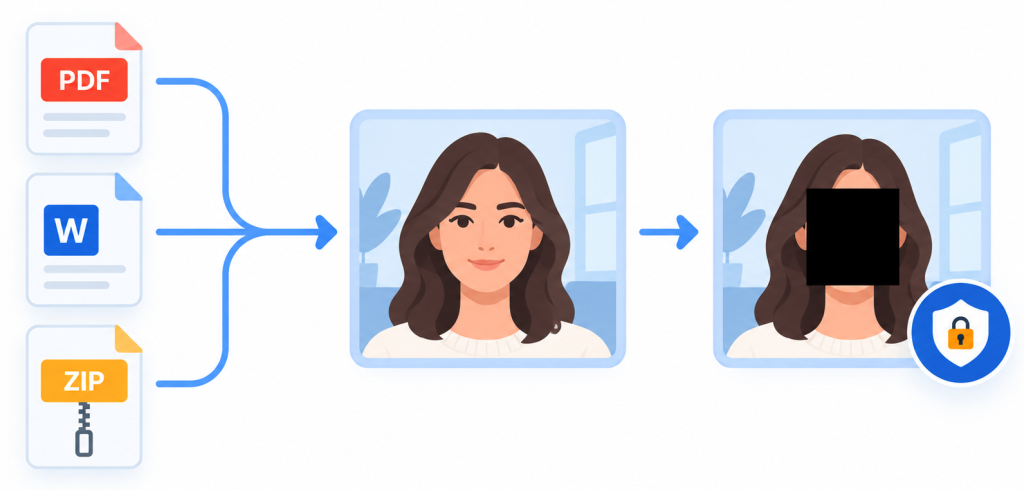
Behind the scenes, DarkShield uses the Single-Shot Scale-Aware Face Detector (SCRFD) AI model from InsightFace. IRI selected SCRFD for its balance of speed, size, and detection accuracy. The integration enables the DarkShield engine to automatically detect multiple faces across varied file formats and immediately apply black-box redaction.
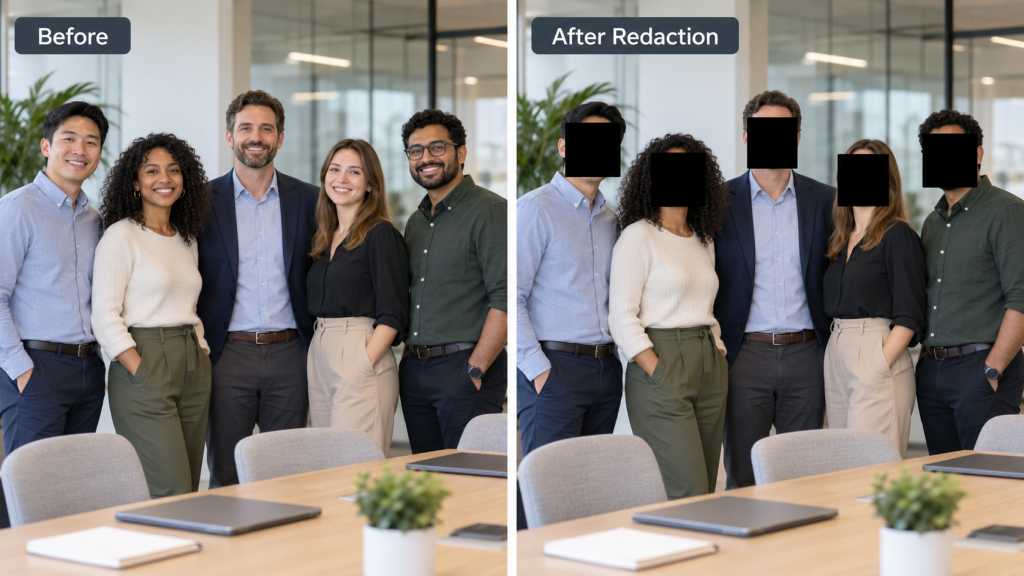
How to Use DarkShield to Find and Mask Faces
Because DarkShield is a self-hosted solution, your sensitive visual data never leaves your secure environment, ensuring data sovereignty remains intact while meeting compliance goals.
Because job design efficiency is central to DarkShield, configuration is simple.
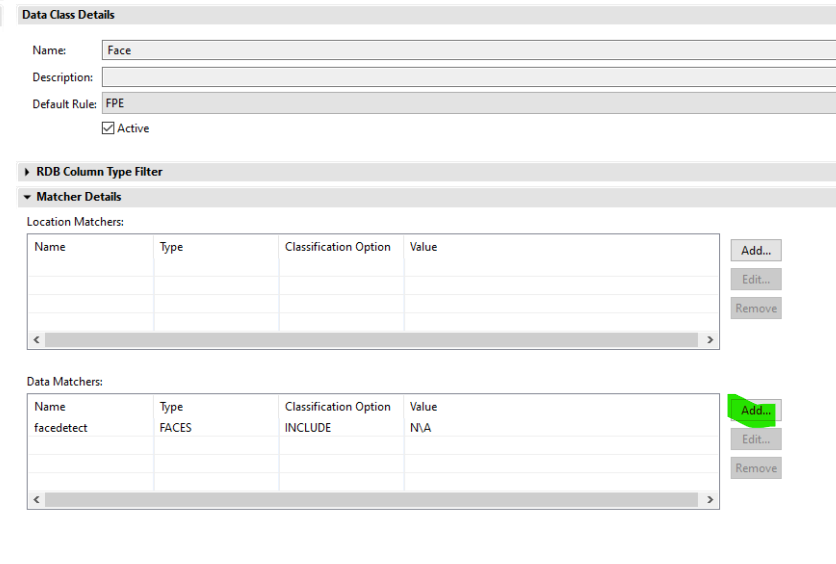
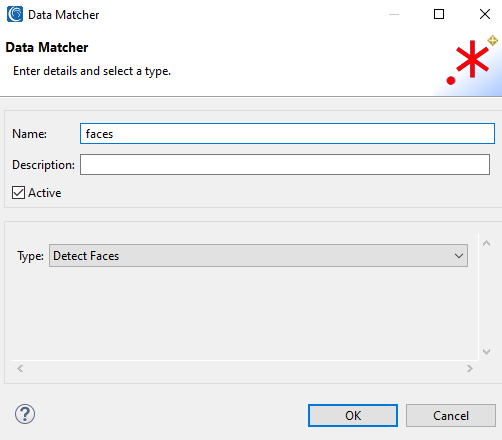
- Open the Data Class and Rule Library in IRI Workbench
- Navigate to the Data Matcher page.
- Select Detect Faces from the matcher type dropdown menu.
No complex fine-tuning parameters are required. Selecting this option allows the engine to apply the matcher to your job immediately. This simplicity allows teams to scale facial redaction across millions of files without creating operational overhead.
Automating Facial Detection Through API and CLI Jobs
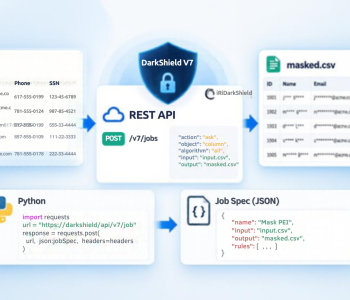
For enterprise workflows requiring programmatic control, DarkShield allows you to export job specifications for API or CLI jobs directly from the GUI or define them as code. The search and masking job specs for API calls follow a straightforward JSON structure.
The face matcher resides within the FileSearchContextlocation:
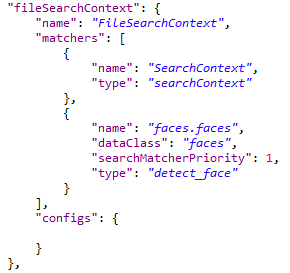
This configuration identifies the facial data class and uses the detect_face matcher within the file search context.
The same job design can be incorporated into existing schedulers and CI/CD pipelines. This allows facial detection and obfuscation to become an automated step within a broader DarkShield data masking implementation rather than a separate manual process.
Facial Redaction for Embedded Images and Documents
DarkShield’s discovery engine can handle embedded images within a wide range of file types, including PDFs, Microsoft Office documents, and compressed archives. It extracts the visual content, applies facial redaction, and preserves the file’s original structure.
Because DarkShield is self-hosted and on-premises, sensitive imagery remains within the organization’s secure infrastructure during the detection and redaction process. This removes the need to upload that data to third-party APIs.
Frequently Asked Questions (FAQ)
Why does Facial Redaction Matter?
As privacy regulations (GDPR/HIPAA) evolve to include biometric data, manual redaction is no longer viable. DarkShield provides a self-hosted, scalable solution that protects PII/PHI without requiring your data to leave your secure environment.
How does DarkShield distinguish between a human face and other image elements?
DarkShield utilizes the advanced SCRFD model, which is specifically trained to isolate human facial features within complex images. This specialized training significantly minimizes false positives compared to generic object detection models, ensuring higher accuracy in your redaction outputs.
Does facial detection require extensive model configuration?
No. In IRI Workbench, users configure the feature by adding a Data Matcher and selecting Detect Faces as the matcher type. The original workflow does not require additional complex fine-tuning parameters.
Can DarkShield redact faces inside compressed or embedded file formats?
Yes. DarkShield can process embedded images within supported file types, including PDFs, Microsoft Office documents, and compressed archives. It extracts the visual content, performs facial redaction, and handles the file within its original structure.
Do I need to host my data on a public cloud to use this feature?
No. DarkShield is self-hosted and can operate on-premises. Your data stays within your secure infrastructure during the entire detection and redaction process. This is a key advantage for teams managing strict compliance rules, such as HIPAA or data sovereignty requirements, as it eliminates the need to upload sensitive imagery to third-party APIs.
If you have questions or need assistance with facial detection and obfuscation in a DarkShield discovery and deidentification project, contact darkshield@iri.com.