
|
IRI Workbench
Creates and Runs FACT Jobs
Background
FACT
— for FAst ExtraCT — unloads data from large relational database tables into flat files using proprietary connection protocols, multiple threads, and SQL select syntax. At the same time, FACT creates optional data definition file (DDF) metadata for IRI products like CoSort (for in-line transforms and reports on the extracts) and database load utilities (to populate target tables with pre-sorted data) for ETL, reorg, migration, etc.
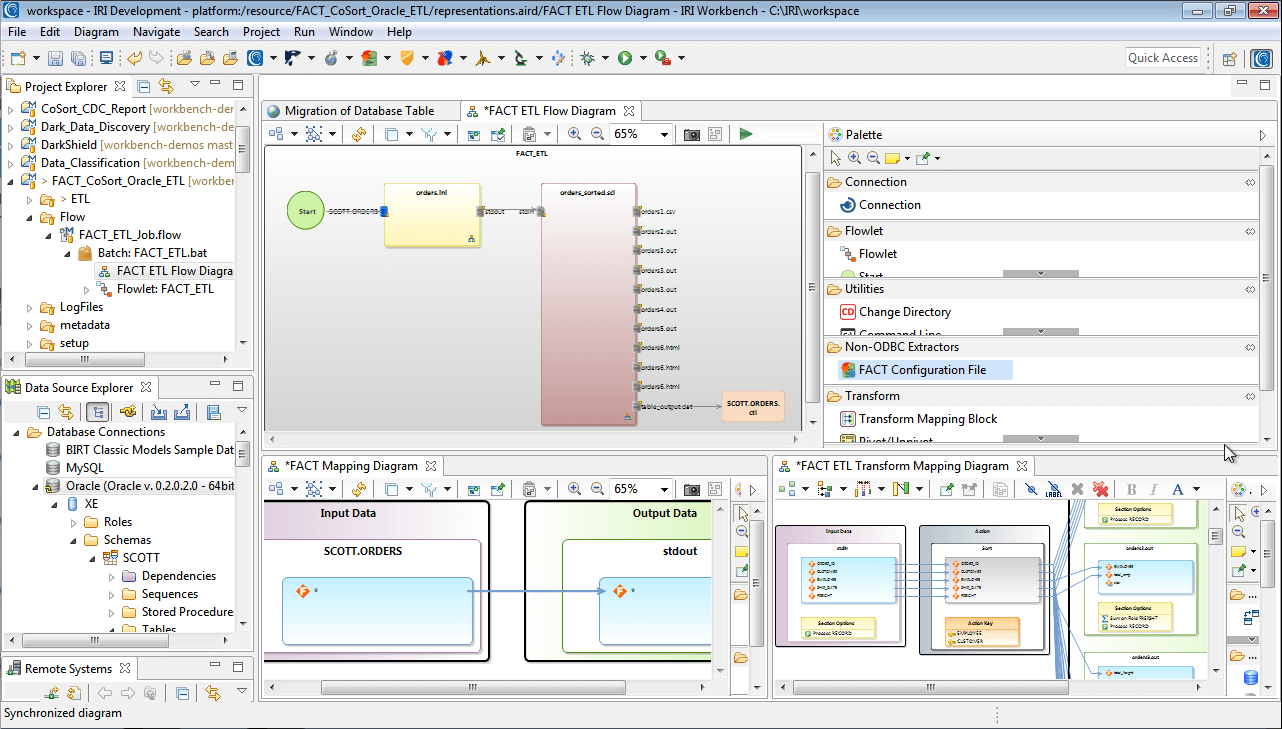
Traditionally, FACT runs on the command line using a configuration file in .ini or .xml format containing the unload and metadata creation parameters described above. Now, all of the features and documentation for FACT are front-ended in the IRI Workbench -- the integrated development environment (IDE) for IRI's current and emerging software product line -- built on Eclipse. The FACT module is designed to specify extraction jobs from Oracle, DB2, Sybase, SQL Server, and Altibase.
FACT users opening the IRI Workbench can get up to speed quickly from the Welcome screen's Overview and First Steps sections. From there, a getting started "cheat sheet", help menu documentation, and context-sensitive help within the new FACT job wizard will guide users step-by-step through FACT job creation where the table unload and optional downstream T and L metadata details are specified.
Once FACT jobs are defined, they can be executed from the Workbench run menu, or put into a batch sequence possibly as a prelude to CoSort or other licensed products that can work with the extracted data in your application environment. For more information about using FACT as in integrated extraction component in your data warehouse ETL operations, VLDB reorgs, or other application environment, see the database-specific ETL and DB solutions pages on this web site that apply to you, and contact fact@iri.com.
Job wizards, form dialogs and syntax-aware script editing
After FACT is installed on your server and the appropriate environment variables are set up, you can then create the configuration file using the FACT Config File wizard in the IRI Workbench.
The Database Connection and Query Options page of the wizard provides fields to input some of this required information:

Point and Click Query Option
In the Query field above, you can enter your query directly, using SQL SELECT syntax. Alternatively, you can use the wizard's Query Populate option to graphically select source tables and columns to populate the Query field in the FACT job:
Be sure to insert parallel hints into the resulting query to leverage the multiple threads you may be licensing aboard a multi-CPU/multi-core server. This will split the unload operation into parallel processes and help it run many times faster.
Extract Formatting Options
Additional wizard pages allow you to specify additional, optional parameters in your config file.
FACT allows you to specify default file names and directories for the CoSort DDF metadata, the DB loader file, and the FACT runtime log file. Other options include record and field formatting, and writing special data types to external files (LONG, CLOB, and BLOB):

See and Run the FACT Config File (Job Script)
After you complete the wizard, the new FACT job specification file displays in the FACT Config Form Editor:

You can also open and edit the file in the IRI Workbench's syntax-aware text editor, with color-coded keywords and validation. When the config file is ready,

When the config file is ready, if you have also licensed either CoSort or FieldShield, you can use those wizards to process the data in the FACT extract file. IRI can also help you combine these operations with row inserts or pre-sorted (bulk) loads into tables you can create and populate with other tools in the IRI Workbench. You can launch the extraction job from the Run As menu, and configure a batch job to run FACT in line with the other IRI Workbench tools you've licensed.
Where Can I Get More
Information on FACT?
Here: Products > FACT
FACT
plays in an integral role
in many of the solutions described on this
web site.
FACT can be used in the initial data acquisition phases of:
• Business
Intelligence • Data Governance
• Data
Transformation • ETL/DB
Acceleration • Field
Protection • File
Interchange
See also:
Products
> Fast Extract (FACT)
Products
> CoSort
Products
> CoSort > SortCL Metadata
Products
> CoSort > Metadata Converters
Products
> CoSort > Dashboard
Products
> CoSort > COBOL Tools
Products
> CoSort > APIs
Products
> FieldShield (Data Privacy)
Products
> RowGen (Test Data)
|