
General Options
IRI software makes it easy for data and information stewards to control the data that Data Warehouse ETL architects, business users, governance teams, and report designers can access or affect. The ability to mask data during movement, manipulation, and reporting (for example), allows you to build data stewardship into your processes.
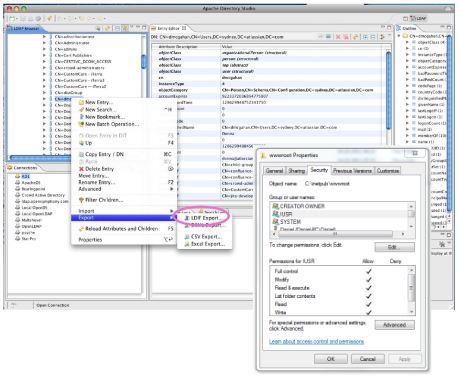
The platform-agnostic and server-independent nature of IRI software also means that you can use existing frameworks like LDAP and Active Directory (AD) object assignments to manually apply role based access controls (RBAC) at various levels (data sources and targets plus IRI metadata, and executable files, for example) using existing database and encryption key management authorization frameworks.
For example, access to masked data in products like IRI FieldShield can be controlled through differential access to job scripts and field encryption keys. For example, authorized users with a copy of the FieldShield executable (or DDM library) and correct script (or application) and decryption key will be able to see original plaintext values, whereas everyone else would not; they would only see the ciphertext at rest. Encryption keys can be managed in several ways as well, including in AD-compatible systems like Azure Key Vault.
IRI metadata access and activity can be further role-managed through free Eclipse team plug-ins like Git, CVS, and Subversion, or the erwin EDGE (Quest data governance) platform's IAM-controlled release manager for ETL, data quality, data masking, etc. projects in the IRI Voracity platform (which includes FieldShield, DarkShield, et al).
Virtualized test data hubs in the cloud, like those from Windocks or ValueLabs, also support user-restricted, on-demand FieldShield and IRI RowGen masking and synthesis design, execution, and result-access operations via AD.
You can also control access to the IRI Workbench client itself, or to the workspaces for Voracity and/or constituent products like FieldShield, at the O/S or VM level.
See these Data Governance FAQs to understand how IRI software products currently support RBAC in more detail.
Granular Runtime RBAC & ABAC Options
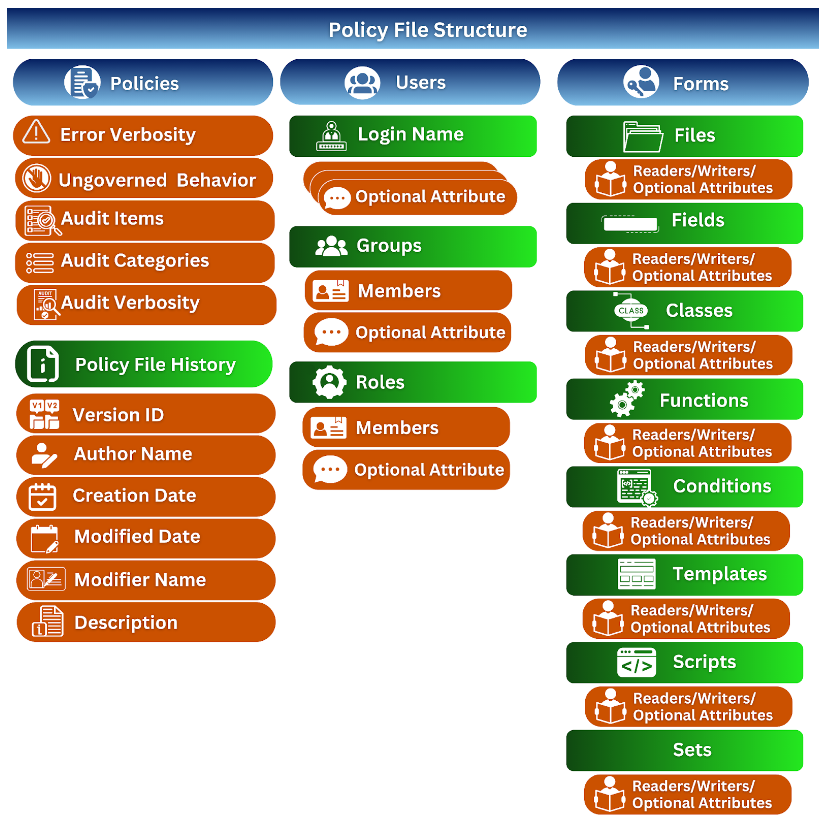
With the release of CoSort 11 and its built-in runtime Operational Governance System (OGS) for SortCL-compatible structured data manipulation jobs, read, run, and write permissions are now available at the user, group and role level for multiple script items.
Controllable items include named: job scripts, data sources and targets, data class and field names, set files, functions and conditions for Voracity, CoSort, FieldShield, NextForm and RowGen applications. Jobs exit with an error message -- on screen and in the log -- if any optionally assigned permission, or script signature validation, test fails.
The options for permission-denied and other OGS behavior are specified in one or more secure policy files created by a designated system governor.
Also associated with each job execution is a highly granular log file in machine-readable JSON. The data is subject to analytic queries directly in a built-in audit log wrangling utility, SortCL job scripts, and in SIEM tools like Splunk Enterprise Security.
Finally, IRI is developing a new web-based, SSO-supporting front-end (IRI Data Management Studio), releasing first with DarkShield in late 2026, that will handle RBACs for multiple assets based on the logged-in user's authorizations designed by the application administrator.
