
|
Process and Convert Between Multiple File Types
Challenges:
Mainframe data types and file formats may be unsuitable for relational databases,
data warehousing, and reporting environments on open systems. The converse
may also be true if you still process data on, or for, a mainframe. For
this reason, you may need to convert variable block or COBOL index files
to CSV, or convert text to I-SAM.
Similarly, XML is a popular interchange format, but large XML files have
not been practical for manipulation or conversion. LDIF on the other hand,
holds large amounts of information but is not a file format that most applications
can import or process.
You may need a tool that can convert between file formats and data types, or one that also manipulates, reports
from, and protects data in multiple file formats -- possibly at the same time.
Solutions:
File Conversion Only
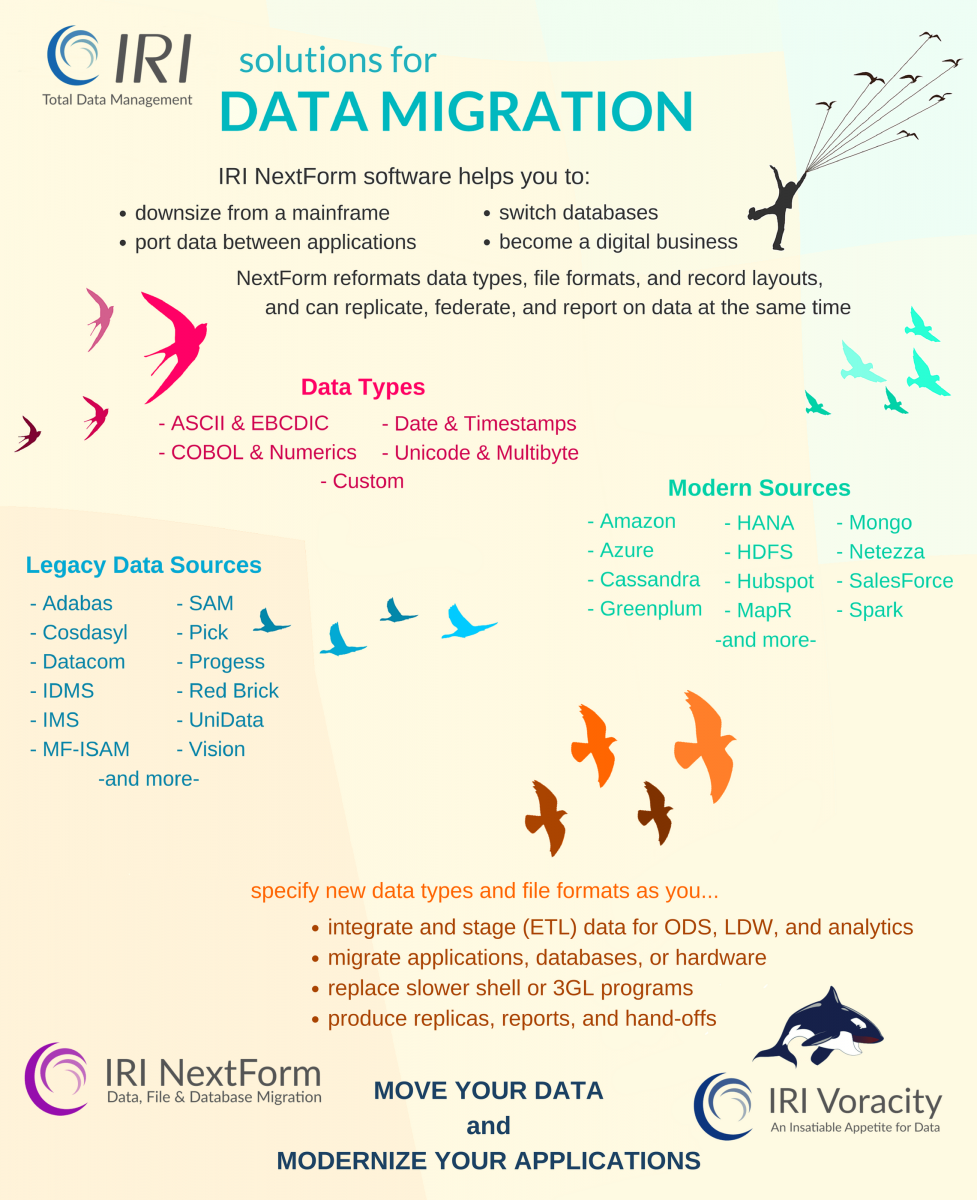
Newly available from IRI is a low-cost, file-format conversion product called NextForm. NextForm allows you to change betwen popular flat-file formats, plus legacy index formats, along with data types within the fields, and the layout of the records. NextForm job scripts can easily move you between more than 100 data and 20 file
types, including MF-ISAM, CSV, LDIF, XML, Vision, Variable Blocked, and
of course, sequential files (line, record and variable).
File Processing and Conversion
The SortCL tool within the CoSort package supports the simultaneous transformation (sort, join, aggregate, remap) and inter-change
(both conversion and creation) of the same data and file types supported by NextForm. SortCL can also generate detail and summary reports from these file formats, and protect sensitive data the field level with a variety of data masking functions.
These capabilities
are useful for mainframe and database migrations, ETL, SOA, and desktop
application imports.
For details on the file types supported by NextForm and CoSort (SortCL), click on each format:
As with data type conversion, specifying one or more file conversions
in a NextForm or CoSort (SortCL) job script is simply a matter of declaring the source and target
file format required. So for example, to convert a CSV file to XML and/or
LDIF, the job script declarations begin with:
/INFILE=/path/filename
/PROCESS=CSV
and on output, the declarations might be:
/OUTFILE=/path/filename
/PROCESS=XML
/OUTFILE=/path/filename
/PROCESS=LDIF
Data Type Conversion
You can also convert between field data types in both CoSort (SortCL) and NextForm.
For details, see:
Solutions
> Data Transformation > Type-Convert
For more details on:
- Converting between file formats and data types, see:
Products > NextForm
- Integrating, transforming, and reformatting files, see:
Products > CoSort > SortCL
- Manipulating large data files in general, see:
Solutions > Data Transformation
- Generating reports from your files, see:
Solutions > Business Intelligence
- Protecting sensitive data in files, records, and fields, see:
Solutions > Field Protection
- Prototyping applications safely with test data, see:
Solutions > Test Data/Files
See also:
Blog > Data Migration
|
Thank you for sending us a request for information. We will get back to you shortly.
|