

Challenges
Data webhousing, or clickstream data warehousing (CDW), is a specialized practice used for website traffic reports, clickstream pattern analysis, customer segmentation, and business decisions.
You may also need good information to improve your site's navigation, page content, referral sources, banner ads, product offerings, and overall effectiveness. But because log file sizes can be so large, such analyses may be slow, or even impossible, to perform.
You may need a specialized data reduction, integration, manipulation, and reporting tool for web visitor log files. And as some of the data in these logs is sensitive or confidential, you may need to mask specific fields.
Solutions
A CDW supports essential decision making around web traffic by parsing, cleansing, reformatting, and loading data based on visitor traffic log files. The Sort Control Language (SortCL) program in the IRI Voracity platform or IRI CoSort product can process multiple log file formats fast with its simple 4GL, supported in Eclipse.
Use it to:
- transform, reformat, and report on the log files
- apply selection logic to filter and segment data
- mask URLs, IPs, and other fields or sub-strings
- replicate, federate, and multi-cast data subsets
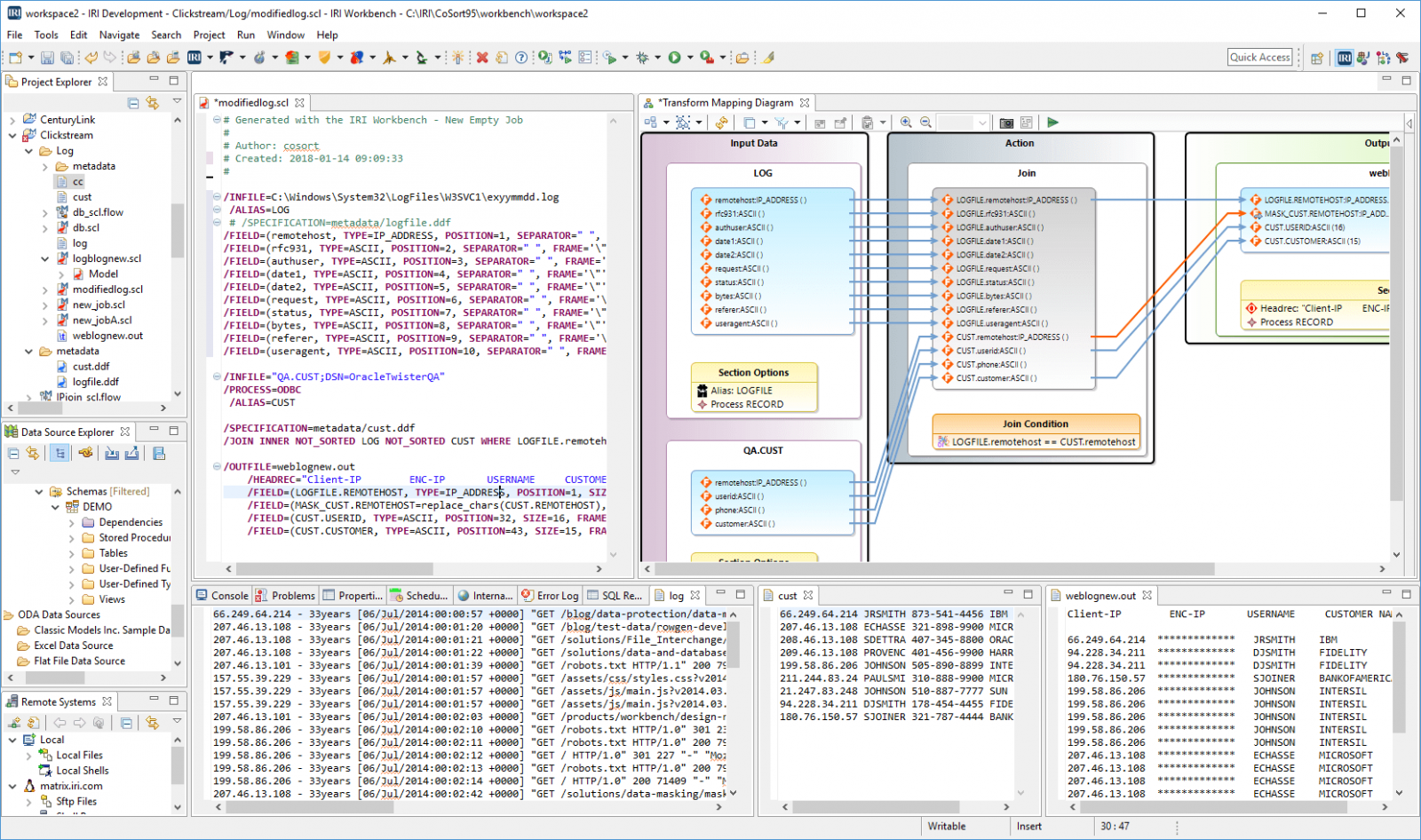
Compare files and silo changes, create customized summary reports, join related transaction data from other sources, and send results to multiple targets in multiple formats at the same time.
Support and speed regular CDW refreshment out-of-the-box, at a fraction of the time and cost of more complex data integration (ETL) and BI tools. High performance data transformation algorithms and hardware optimization techniques optimize the efficiency of these operations in the file system (or in Voracity, optionally via Hadoop), having no effect on online web or database operations.
Within the same product, job script and I/O pass, you can facilitate the analysis and presentation of clickstream data through:
- metadata and processing support for C/ELF log files
- IP address and timestamp data type support
- embedded reports (via embedded HTML tags)
- reduced and reformatted data for dashboards
- simultaneous feeds to DB, BI, and analytic platforms
So, if you need to integrate, transform, and/or analyze massive amounts of web log data, turn to IRI Voracity or CoSort ... proven, well-supported web log movement and manipulation software that you can tailor to your business requirements, and optimize in any environment.
