Data Privacy Compliance Solutions


Next Steps
Overview Auditing CPRA CCMC DLP FERPA GDPR DPDP HIPAA PCI DSS DMaaS Static Dynamic Real-Time Test Data/TDM

Challenges


More data privacy laws -- like those tabbed across this section -- in the US, Europe, and other international jurisdictions are passing and being enforced. CISOs and data governance teams responsible for safeguarding data at risk must also prove they located and protected that data in the right places, and in the right ways.

Data Loss Prevention (DLP) systems and data masking software can discover and de-identify Personally Identifiable Information (PII). How well do these data masking tools document their search results, and actual masking procedures?

In addition, how easy is it to locate and modify specific protections if something needs to be redone, or done differently? How can the risk of re-identification based on quasi-identifying data be measured and mitigated? And even the best data masking tools for compliance with one data privacy law may not be the best way to address another law.

Solutions


For detection control and data breach prevention, extensive search logs and dashboard reports are available for compliance officer inspection. They are accessed from the data profiling and sensitive data discovery modules included with all IRI data masking software.

For example, there are both scan-specific text reports and visualizations like these for structured data:

For data masking operations, all the source and target details -- and the masking functions applied -- are specified in self-documenting, human-readable job scripts, mapping diagrams, or configuration files, plus JSON-formatted logs produced by: IRI FieldShieldIRI DarkShield and IRI RowGen (which are all also included in the IRI Voracity data management platform).

In the case of FieldShield jobs, the audit trail contains the full contents of the script, plus the governed or ungovernened components therein. See this article on the Operational Governance System (OGS) infrastructure for these jobs, and note there is also a built-in log wrangling utility to query and export compliance and performance related information from the logs.

The log files (click on the screenshot below to expand) contain a comhrensive range of information, including:

  • protection library function(s) used
  • encryption keys or de-ID codes
  • input and output tables or files
  • user who ran the job and the Policy File in force
  • job start, end, and elapsed times
  • number of records processed through each phase, in total, and per second
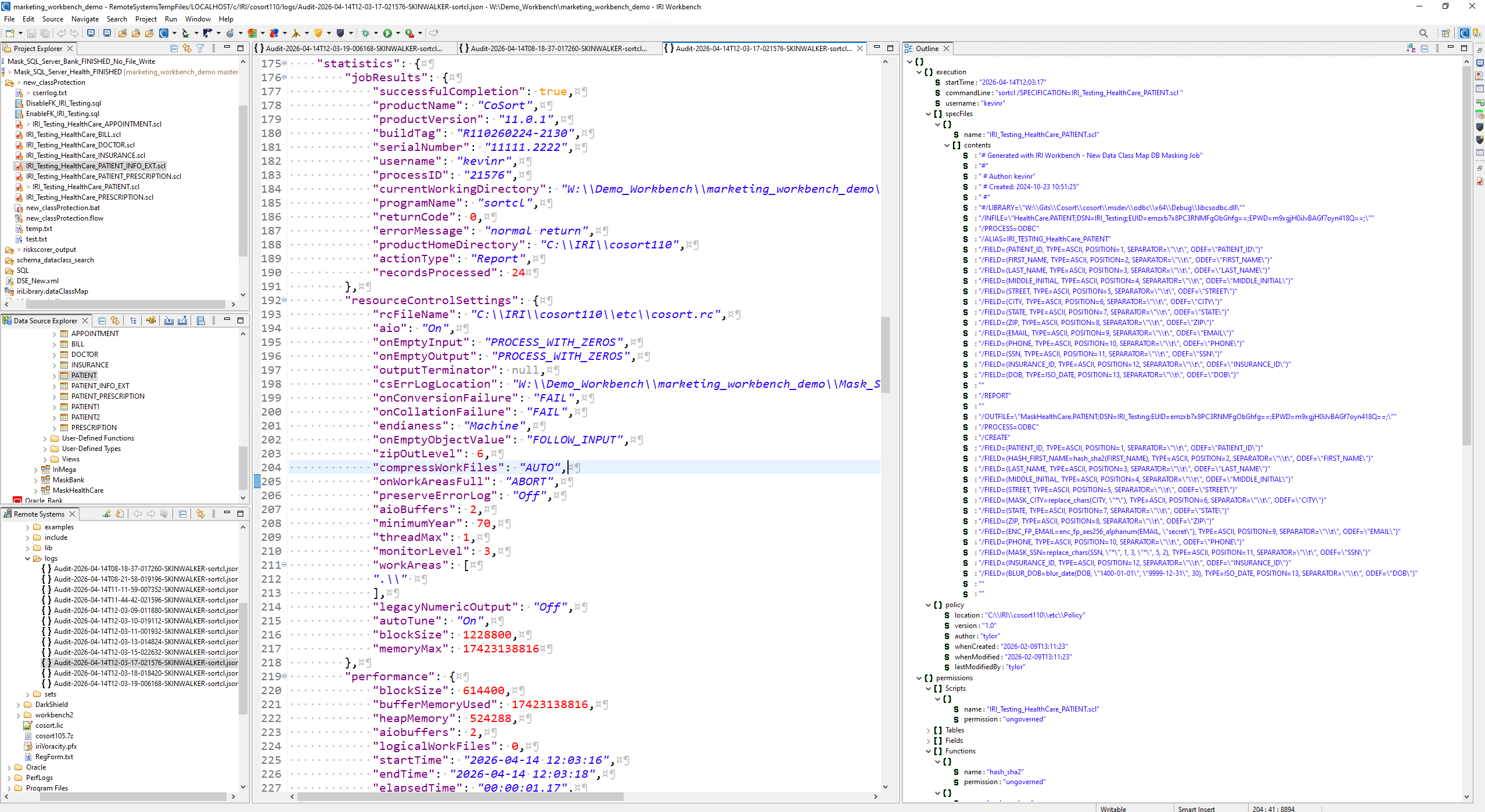
IRI Operational Governance System (OGS) Job Audit Log.json in Workbench
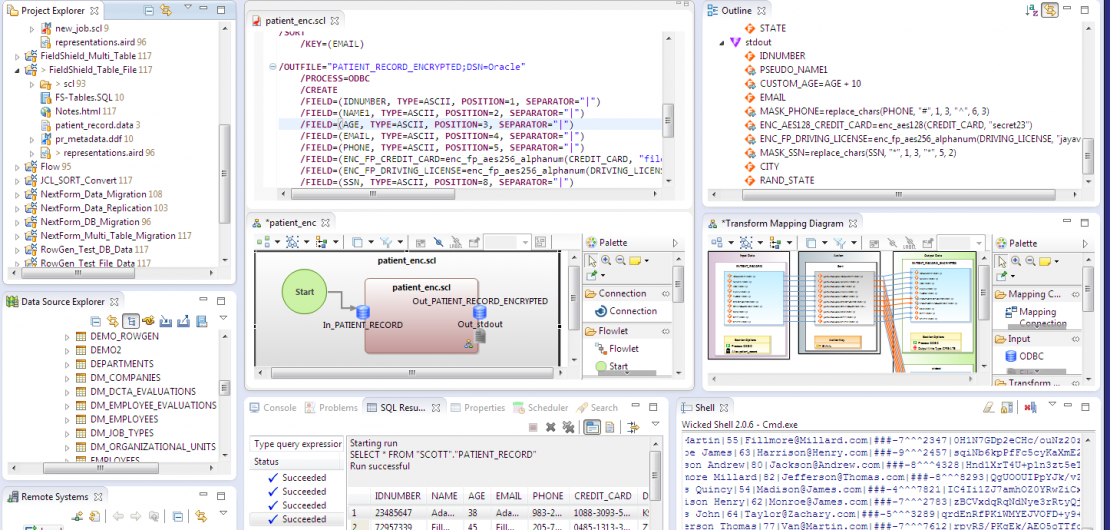
Source-to-target mapping diagrams show the same changes quickly with orange connecting lines (see the screenshot below) and the visual representations of the jobs are handy images to share.

Some of the data masking functions you can apply (ad hoc or as a rule), are:


  • encryption and decryption
  • anonymization via pseudonymization
  • data blurring, hashing, deletion or scrambling
  • de-identification and re-identification via twiddling
  • partial or full-field redaction
FieldShield data masking tool job artifacts in Workbench

In addition to the PII discovery reports and de-identification job audit logs, compliance officers can also see the protection(s) applied in each exportable self-documenting job script or diagram. Once approved, the job can be saved or run on any local or remote server running the IRI data masking executable.

After execution, the job script can be isolated or shared, and modified or protected using Git for example, for reliable re-use in production.

In FieldShield, a re-ID risk scoring module is also supplied to statistically measure the likelihood of a data set being linked to an individual based on the unmasked quasi-identifying (demographic) attributes in their record. Further data anonymization techniques like blurring and bucketing to lower re-ID risk but preserve data utility for research and marketing purposes are included (see the HIPAA and FERPA tabs above).

In the case of IRI DarkShield, a comprehensive set of dashboard charts are produced to show data discovered (and if applicable, masked) in structured, semi-structured, and unstructured sources. One of those charts is a bubble chart to help you rank the PII risk in each data source; a kind of instant vulnerability assessment (heat map) resulting from aggregated data discovery (search) jobs:
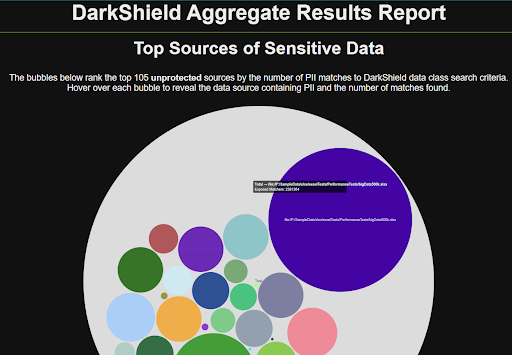
This data can also be audited in machine-readable searching and masking artifacts (JSON log files, including the one shown above) in IRI Workbench, or exported to SIEM tools like Splunk Enterprise Security, IBM QRadar, Microsoft Sentinel, Excel, and other SIEM/SOC and log visualization tools for further analysis and action.

In the case of IRI CellShield EE, both data discovery results and masking operation audit trails are provided in Excel, and linked for export to email, Splunk and Datadog.

The logs described on these page can show you how to protect PII and sensitive data, but are only part of the data privacy compliance solutions from IRI. To learn more about these logs and forensics in GDPR and HIPPA data masking generally, see this page. Also, check out the data lineage options on this page.

Frequently Asked Questions (FAQs)

1. What is data masking compliance?
Data masking compliance means demonstrating that your organization not only protected sensitive data but did so correctly and in accordance with specific data privacy laws. This includes documenting the data that was discovered and masked, and providing audit trails on the operations.
2. How can I prove that sensitive data was properly masked?
You can prove proper masking through audit logs, visual job diagrams, and self-documenting scripts that detail what columns or values were masked, how they were masked, who performed the masking, and when it occurred. IRI tools like FieldShield, DarkShield, and CellShield EE provide all of this evidence automatically.
3. What types of audit logs does IRI generate for data masking?
IRI tools generate machine-readable XML or JSON audit logs and visual diagrams. These include job metadata like protection methods used, input/output files, job execution details, and encryption keys or masking functions applied.
4. How can I locate which masking techniques were used on specific data fields?
With IRI job configuration files (scripts), data class and rule libraries, mapping diagrams and/or log files, you can see the exact protection applied to each data element. Whether it’s redaction, encryption, hashing, or pseudonymization, the methods are clearly defined and easily reusable configurations.
5. What is re-identification risk and how is it measured?
Re-identification risk refers to the likelihood that masked or unmasked data can be linked back to an individual using either direct, or indirect (quasi-) identifiers. IRI FieldShield includes a built-in scoring module that statistically evaluates this risk, helping you take further de-deidentification or anonymization steps, for the direct or indirect identifiers, respectively.
6. Can IRI data masking tools support multiple compliance laws at once?
Yes. IRI tools are designed to meet requirements across various regulations like GDPR, HIPAA, FERPA, PCI DSS, and more. Each masking job and audit trail can be customized to meet the specific mandates of different laws.
7. How do compliance officers use IRI tools to audit data protection?
Compliance officers can review the data class rule library, data class map, job configuration (script) files, data class mapping dialogs, machine-readable log files, and/or dashboard chart generation features of IRI Workbench to create and review the results of data classification (PII discovery) and data masking jobs. Job artifacts like these help auditors verify what protections were applied to what data, when and by whom.
8. What does the visual mapping in FieldShield show?
The source-to-target mapping diagram in FieldShield visually represents how data fields were transformed. Orange lines and function icons illustrate where sensitive data was found and how it was protected.
9. Can I modify or reuse a data masking job script?
Yes. Job scripts in IRI tools are fully reusable and editable. You can isolate, version, or share them across environments using version control tools like EGit for streamlined deployment and collaboration.
10. How does IRI DarkShield visualize compliance data?
DarkShield can produce dashboard charts that display what data was discovered and masked in structured, semi-structured, and unstructured sources. It also includes a bubble chart for ranking risk levels across data sources, acting as a quick heat map for vulnerability assessment.
11. What kinds of data formats are supported for audit and export?
Audit logs and reports can be exported in machine-readable formats compatible with SIEM tools like Splunk, Excel, and Datadog. This enables further analytics, alerts, or regulatory reporting outside the IRI environment.
12. How does IRI support compliance with education and health privacy laws?
IRI includes specialized tools to meet FERPA and HIPAA requirements. These tools can anonymize student and patient records while retaining utility for analysis, and include features like bucketing and blurring to reduce re-ID risk while preserving data usefulness.
13. Can I see both discovery and masking results in one place?
Yes. In all IRI tools, data discovery results are linked with masking operations. For example, in CellShield EE, this information is shown in Excel and can be exported or sent via email or to log monitoring systems.
14. How does IRI help organizations respond to audits or investigations?
IRI provides exportable, non-tamperable documentation – like data mapping diagram images – of all data protection steps taken. These artifacts help organizations respond quickly and credibly during audits, investigations, or subject access requests.
Share this page

Request More Information

Live Chat

* indicates a required field.
IRI does NOT share your information.